
EAGLE PCB Software: Is It Free, EAGLE vs KiCad, and How to Export Gerber Files
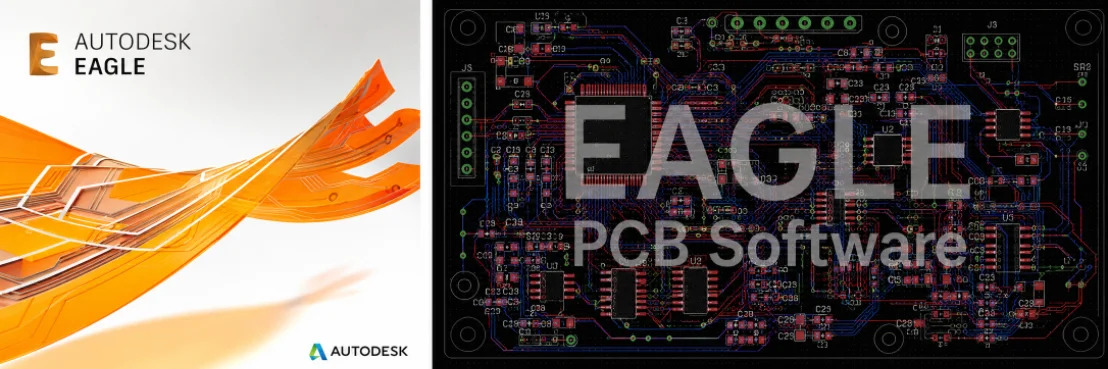
Figure 1. EAGLE PCB software projects should be exported with complete Gerber, drill, and assembly outputs.
EAGLE is one of the longest-running PCB design programs, popular with makers and small teams for its schematic-and-layout flow and large community footprint library. Now part of Autodesk Fusion, it remains a common way to get a board designed. This guide answers what people search – is EAGLE free, how it compares to KiCad, how to export Gerbers from EAGLE – and shows how Highleap Electronics turns an EAGLE design into a manufactured, assembled board.
1. Is EAGLE PCB software free?
EAGLE has a limited free tier suited to small boards, but full use requires a paid Autodesk Fusion subscription that unlocks larger board area and more layers. The free tier caps board size and layer count, which is fine for simple maker projects but restrictive for larger designs. If you need a free tool with no size limit, KiCad is the usual alternative.
EAGLE (Easily Applicable Graphical Layout Editor) pairs a schematic editor with a board editor and keeps the two synchronized, drawing on an extensive – largely community-contributed – library. As with any EDA tool, the program is only half the story: a fab does not build from an EAGLE board file but from exported manufacturing data, and most issues people hit are output or footprint problems, not EAGLE bugs. If your design starts from a hand-drawn idea, a tidy PCB schematic diagram is the foundation everything rests on.
2. EAGLE vs KiCad vs Altium vs CircuitMaker
Choose EAGLE if you want a familiar tool inside the Autodesk world, KiCad for free unlimited private use, Altium Designer for professional complexity, and CircuitMaker for free Altium-style open-source design. The fabrication output is standardized across all of them, so the tool never limits who can build your board.
| Tool | Cost model | Strength | Limitation |
|---|---|---|---|
| EAGLE / Fusion | Free tier + paid subscription | Familiar flow, large library, Fusion MCAD link | Board-size and layer limits on the free tier |
| KiCad | Free and open source | Unlimited, private, offline, no size cap | Steeper initial learning curve |
| Altium Designer | Paid (professional) | High-end, complex high-speed boards | High license cost |
| CircuitMaker | Free | Altium-grade editing at no cost | Projects are public; cloud-only |
If you want a free, fully private, offline tool with no board-size limit, KiCad is the common recommendation. If you are already in the Autodesk/Fusion world or comfortable with EAGLE’s interface, EAGLE is a productive choice.
3. How to design a board in EAGLE (schematic, layout, libraries)
EAGLE’s two linked editors give a clean path from idea to board: draw the schematic, assign verified footprints, set design rules, switch to the synchronized board editor, route, then run the design rule check. The discipline at each stage keeps the design manufacturable:
- Draw the schematic. Place parts, connect nets, and assign each a real device with a footprint verified against the datasheet rather than the first library match by name.
- Manage libraries carefully. EAGLE’s vast, largely community-made library is its strength and its risk; verify every footprint – pad sizes, pin one, polarity – because a wrong land pattern is the leading cause of an unbuildable board.
- Set design rules. Set trace width, clearance, via sizes, and annular ring to a real fabrication capability to avoid redesign after a manufacturing review.
- Route. Use the synchronized editor to place parts for good signal flow and thermal behavior, then route, keeping power and ground solid.
- Run the DRC. Clear every error before generating output; unresolved violations usually become fabrication or assembly problems.
4. How to export Gerber files from EAGLE for manufacturing
Export Gerbers from EAGLE through the CAM Processor using the standard RS-274X CAM job, then add the NC drill file, BOM, and assembly data. This export step is where projects either pass quotation cleanly or get held up, so generate and verify:
- Gerber files (or ODB++) for every copper, mask, silkscreen, and paste layer, plus the board outline. Modern EAGLE includes CAM jobs that output a clean Gerber set; the ODB++ format is preferable when offered, and understanding how a CAM engineer reads your data helps before you export.
- NC drill file with all hole sizes and plated/non-plated status.
- BOM with manufacturer part numbers, exported from the schematic, so components can actually be sourced.
- Pick-and-place / centroid file with the position, rotation, and side of each part for assembly.
- Assembly drawing showing polarity, pin one, fiducials, and do-not-populate notes.
A note specific to EAGLE: by default only the top silkscreen exports, so if you need a bottom silkscreen, add it in the CAM Processor. And always open your exported Gerbers in an independent viewer before sending them – EAGLE’s preview is not the same as what the factory receives, and a quick check catches mirrored layers, a missing mask, or unclear layer naming before they cost a revision cycle.
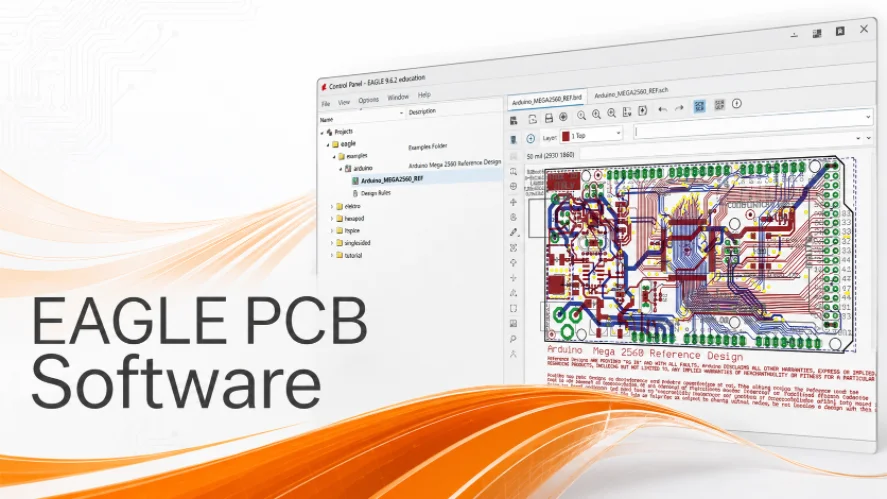
Manufacturing review checks EAGLE outputs before PCB fabrication and assembly starts.
5. PCB manufacturing checklist before you order
Before requesting a quote, confirm these six items – they head off the most common EAGLE-project delays at the factory:
- Every footprint verified against its datasheet and the purchasing part number.
- Design rules set to a real fabrication capability, with DRC passing cleanly.
- Gerbers, drill, BOM, centroid, and assembly drawing all exported from the same final revision.
- Generated files opened and confirmed in an independent Gerber viewer.
- Board outline, layer count, copper weight, surface finish, and quantity decided.
- Any impedance, high-voltage, RF, or thermal requirements stated for the fabricator.
6. From EAGLE file to manufactured board
Once your CAM output is clean, Highleap builds from the standard files, not from EAGLE itself. Because designs often lean on community-sourced libraries that are not production-verified, a short look at how to prepare data CAM engineers prefer helps avoid the holds that slow a build, confirming footprints, clearances, drill sizes, and stackup are sound.
From there, Highleap covers low-volume PCB manufacturing through higher volumes, plus turnkey assembly with authorized-channel sourcing, SMT and through-hole placement, and inspection – and you can validate first with a quick prototype PCB run before scaling. When you submit your files, include the full output package plus target quantity, lead-time need, and any special requirements.
Send your EAGLE files for a quote
7. EAGLE software FAQ
Is EAGLE free?
EAGLE has a limited free tier suited to small boards; full use needs a paid Autodesk Fusion subscription. For a free tool with no size limit, KiCad is the usual alternative.
Is EAGLE or KiCad better?
EAGLE offers a familiar interface and Fusion MCAD integration; KiCad is free, open source, private, and has no board-size limit. Both produce standard manufacturing files, so either can be built by any fab.
How do I export Gerbers from EAGLE?
Use the CAM Processor with the standard RS-274X CAM job, generate the NC drill file, and add a bottom-silkscreen layer if needed. Always confirm the result in an independent Gerber viewer.
Why do my EAGLE Gerbers look wrong at the factory?
Typical causes are a mirrored layer, a missing mask or paste layer, a missing bottom silkscreen, or ambiguous layer naming. An independent viewer check before submission catches these.
Can Highleap manufacture a board designed in EAGLE?
Yes. Highleap builds from standard manufacturing files regardless of the EDA tool, and a manufacturability review helps verify footprints and clearances – valuable when a design uses community EAGLE libraries.

Recommended Posts

TMM4 Filter PCB Manufacturing
TMM4 filter PCB manufacturing is controlled by the...

TMM3 PCB Manufacturing for RF Modules
TMM3 PCB manufacturing is most useful where the RF module...

TMM6 PCB Fabrication
TMM6 fabrication is the process-control page for a mid-Dk...

TMM10 PCB Manufacturing for Compact RF Designs
Table of contentsHow TMM10 Shrinks RF StructuresTMM10 vs...
How to get a quote for PCBs
Let’s run DFM/DFA analysis for you and get back to you with a report. You can upload your files securely through our website. We require the following information in order to give you a quote:
-
- Gerber, ODB++, or .pcb, spec.
- BOM list if you require assembly
- Quantity
- Turn time
For PCBA services, please provide your BOM (Bill of Materials) and any specific assembly instructions. We also offer DFM/DFA analysis to optimize your designs for manufacturability and assembly, ensuring a smooth production process.