
Populated Circuit Board (PCBA): Process and Cost Guide
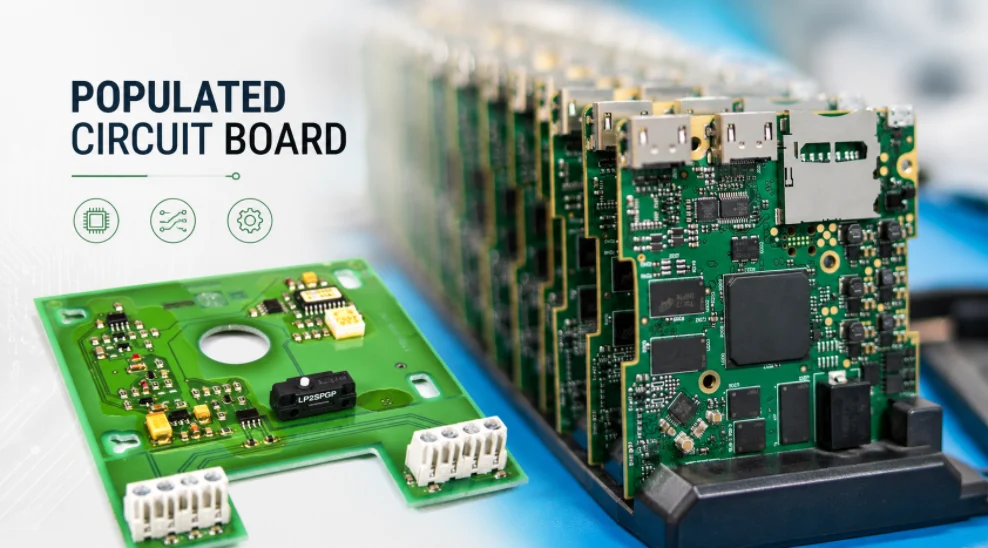
Figure 1. Populated circuit boards combine bare PCB fabrication, component sourcing, assembly, and inspection into one PCBA build.
A populated circuit board is a printed circuit board that has had its electronic components — resistors, capacitors, ICs, connectors, and more — mounted and soldered onto it. It is also called a populated PCB or, more formally, a printed circuit board assembly (PCBA). The bare board provides the wiring; population is the step that turns it into a functioning piece of electronics.
Key takeaways
- “Populated” means the board has components installed; a bare board has none.
- Population (PCB assembly) uses surface-mount, through-hole, or mixed technology.
- A board can be fully populated or partially populated, depending on the build stage.
- Inspection and testing confirm that a populated board is built correctly before it ships.
Table of Contents
- What Is a Populated Circuit Board?
- Bare Board vs Populated PCB
- How a Bare PCB Gets Populated
- Fully vs Partially Populated Boards
- Inspecting and Testing Populated Boards
- What Drives the Cost of a Populated PCB
- Getting Your Board Populated by a Manufacturer
- Single-Sided vs Double-Sided Board Population
- Frequently Asked Questions
What Is a Populated Circuit Board?
The word “populated” simply describes the state of the board. A circuit board manufactured with copper traces, solder mask, and silkscreen but no components is a bare board. Once components are placed and soldered into their footprints, the board is populated. That populated board, tested and ready, is what goes inside the product.
This terminology matters when you order. Asking for a “circuit board” is ambiguous — a supplier needs to know whether you want bare boards (fabrication only) or populated boards (fabrication plus assembly). The latter requires not just the board files but also a bill of materials, component sourcing, and placement data.
Bare Board vs Populated PCB
Seeing the two side by side clarifies what assembly adds. The bare board is the foundation; the populated board is the finished electrical system. Every difference between them — cost, lead time, testing — comes from the components and the labour to install them.
| Aspect | Bare board | Populated board (PCBA) |
|---|---|---|
| Components | None | Installed and soldered |
| Function | Not yet functional | Performs its intended job |
| Files needed | Gerber, drill, stackup | Plus BOM, centroid, assembly drawing |
| Testing | Electrical net test | AOI, X-ray, in-circuit, functional |
| Cost basis | Board area, layers, finish | Above plus components and assembly |
How a Bare PCB Gets Populated
Populating a board is the assembly process, and the method depends on the component types. Most modern boards are dominated by surface-mount technology (SMT), in which components sit on the surface and are soldered by reflow. Through-hole technology (THT) is used for parts with leads that pass through the board, typically connectors and high-stress components. Boards with both are assembled with mixed technology.
The Core Population Steps
- Solder paste printing: a stencil applies paste to the surface-mount pads.
- Component placement: pick-and-place machines position parts at high speed and accuracy.
- Reflow soldering: the board passes through an oven that melts the paste to form joints.
- Through-hole insertion: leaded parts are added and wave- or selective-soldered.
- Inspection: automated and manual checks confirm placement and joint quality.
The accuracy of placement and the control of the reflow profile are what separate a reliable populated board from one with hidden defects. This is the heart of what a turnkey PCB assembly line is built to do, including precise placement of tiny passives and fine-pitch ICs.
Fully vs Partially Populated Boards
Not every board is populated completely in one pass. A fully populated board has every specified component installed and is ready to function. A partially populated board has only some components fitted — perhaps the boards are built in stages, or certain parts are added later, or some positions are intentionally left unpopulated (marked DNP, “do not populate”).
Partial population is common in real production. A company might stock partially built boards and add customer-specific parts on demand, or leave optional features unpopulated to offer product variants from one board design. Clear documentation of which positions are populated and which are DNP is essential so the assembler builds exactly the configuration intended.
Reasons to Partially Populate
- Product variants: one board, multiple configurations via populated/unpopulated options.
- Staged builds: install long-lead or customer-specific parts later.
- Cost control: omit unused features for a lower-cost version.
- Testing: populate test or debug headers only on engineering units.
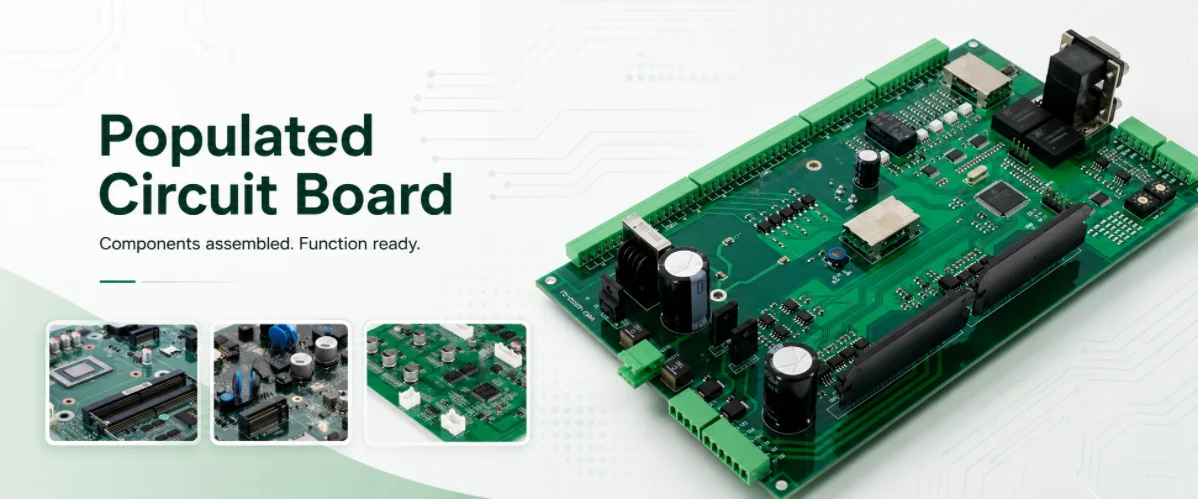
Figure 2. A populated PCB should be checked for placement accuracy, solder quality, polarity, and functional test readiness before shipment.
Inspecting and Testing Populated Boards
A populated board looks finished, but looking finished is not the same as being correct. Solder joints can be open, bridged, or weak; parts can be misaligned, reversed, or wrong; and joints under packages like BGAs cannot be seen at all. Inspection and testing exist to make quality measurable rather than assumed.
Boards with fine-pitch and bottom-terminated parts especially benefit from X-ray, which is why complex assemblies — including dense robotics control boards — pair optical inspection with X-ray and, where needed, functional test.
Inspecting a populated board combines several methods matched to the parts on it. Automated optical inspection (AOI) checks placement, polarity, and the solder joints it can see; X-ray inspection looks under BGAs and other hidden-pad packages where a camera cannot reach; in-circuit testing verifies individual components electrically; and functional testing confirms the finished assembly does what it should. The right mix depends on the board’s complexity and the reliability the product demands.
What Drives the Cost of a Populated PCB
The price of a populated board is the sum of the bare board, the components, and the assembly labour and setup — and ambiguity in any of these inflates the quote. The largest variables are usually the components themselves and the complexity of the assembly.
A clear, complete data package lets a factory quote the real build rather than padding for unknowns. For early runs, a low-volume assembly service keeps setup cost proportional, while thermally demanding products may use a metal-core assembly and power-dense designs draw on power electronics manufacturing expertise.
The cost of a populated board is driven by more than the bare PCB. Component count and the number of placements set much of the assembly time, while fine-pitch and BGA parts add inspection and rework effort. Sourcing matters too: long-lead or single-source parts raise both price and risk. Test scope and order volume then shift the per-unit figure, since setup costs spread over a larger run bring the unit price down.
Getting Your Board Populated by a Manufacturer
To have a board populated, a manufacturer needs three things beyond the fabrication files: a bill of materials with exact part numbers, centroid (pick-and-place) data, and an assembly drawing that marks polarity and orientation. With those in hand, a turnkey supplier can source the parts, fabricate the bare board, populate it, and test it.
What to Provide for Assembly
- Bill of materials: manufacturer part numbers, quantities, reference designators, and approved alternates.
- Centroid file: the X-Y position and rotation of each part.
- Assembly drawing: polarity, pin one, fiducials, and any DNP notes.
- Configuration notes: which positions to populate for the variant you want built.
Submitting these alongside a manufacturability review lets the assembler flag footprint or sourcing issues before the build. Handling fabrication and assembly under one EMS provider keeps the design data and the populated result consistent — whether the board is a simple controller or a dense, flex-based assembly such as those built with the flex PCB assembly process.
Single-Sided vs Double-Sided Board Population
How a board is populated depends partly on whether components sit on one side or both. Double-sided population fits more parts into the same area but adds process steps, so the choice affects both cost and assembly time.
Key population approaches
- Single-sided SMT: one reflow pass populates the top only.
- Double-sided SMT: two reflow passes, often with adhesive for the first side.
- Mixed assembly: SMT on one side with through-hole parts added after.
- Complexity: more sides and part types mean more setup and inspection.
- Cost driver: each added pass and process step raises the unit price.
| Population Type | Process | Best For |
|---|---|---|
| Single-sided | One reflow pass | Simple, low-cost boards |
| Double-sided | Two reflow passes | Dense, space-limited designs |
| Mixed THT + SMT | Reflow plus hand or wave | Connectors and power parts |
Deciding the population strategy up front keeps cost predictable, and it is one of the first things reviewed when a board reaches our assembly facility.
Frequently Asked Questions
What does a populated circuit board mean?
It means a printed circuit board that has its electronic components installed and soldered, making it a functional assembly. A board without components is called a bare board; once it is populated, it becomes a PCBA.
What is the difference between a PCB and a PCBA?
A PCB is the bare printed circuit board with copper, mask, and silkscreen but no components. A PCBA, or populated PCB, is that board after assembly, with all the resistors, capacitors, ICs, and connectors mounted and soldered.
What is a partially populated PCB?
It is a board on which only some of the specified components are installed. This may be intentional — for product variants or staged builds — or it may reflect positions marked “do not populate.” Clear documentation tells the assembler which parts to fit.
What files do I need to get a board populated?
Beyond the Gerber and drill files for the bare board, you need a bill of materials with exact part numbers, centroid (pick-and-place) data, and an assembly drawing showing polarity and orientation. These let the manufacturer source parts and build the correct configuration.
How are populated boards tested?
Common methods are automated optical inspection for placement, X-ray for hidden joints under packages like BGAs, in-circuit test for electrical values, and functional test to confirm the product works. The mix depends on the board’s complexity and reliability needs.
Why is a populated board so much more expensive than a bare board?
Because the price includes the components, the labour and machine time to place and solder them, and the inspection and testing. Components and assembly complexity usually dominate the cost, far exceeding the price of the bare board alone.
Can one supplier fabricate and populate the board?
Yes. A turnkey manufacturer fabricates the bare board, sources the components, populates the board, and tests it. Keeping fabrication and assembly together makes the build faster to coordinate and easier to troubleshoot.
What is the difference between a bare board and a populated board?
A bare board is the fabricated PCB with no components on it. A populated board, or PCBA, has had its components soldered on and is ready to function. Populating is the assembly step that turns a blank board into working electronics.
Can a board be only partially populated?
Yes. Partial population leaves some footprints empty, often to support multiple product variants from one design or to add options later. The empty positions are marked DNP (do not populate) in the assembly data.
How long does it take to populate a PCB?
For a prototype, assembly often takes a few days once the parts are in hand; volume runs are set up once and then flow quickly per board. The biggest variable is usually component lead time rather than the placement itself.

Recommended Posts

TMM4 Filter PCB Manufacturing
TMM4 filter PCB manufacturing is controlled by the...

TMM3 PCB Manufacturing for RF Modules
TMM3 PCB manufacturing is most useful where the RF module...

TMM6 PCB Fabrication
TMM6 fabrication is the process-control page for a mid-Dk...
TMM10 PCB Manufacturing for Compact RF Designs
Table of contentsHow TMM10 Shrinks RF StructuresTMM10 vs...
How to get a quote for PCBs
Let‘s run DFM/DFA analysis for you and get back to you with a report. You can upload your files securely through our website. We require the following information in order to give you a quote:
-
- Gerber, ODB++, or .pcb, spec.
- BOM list if you require assembly
- Quantity
- Turn time
For PCBA services, please provide your BOM (Bill of Materials) and any specific assembly instructions. We also offer DFM/DFA analysis to optimize your designs for manufacturability and assembly, ensuring a smooth production process.