
The Basics of Soldering Circuit Boards: Fundamentals That Make Joints Reliable

Figure 1. how to solder circuit boards
Last updated: May 2026 · The principles behind good soldering, for beginners and improvers
Most soldering problems trace back to a handful of misunderstood fundamentals — what solder actually does, what a good joint looks like, why flux matters, and the one technique mistake nearly every beginner makes. This guide covers the basics of soldering circuit boards from the ground up: the underlying science, the essential tools, the core mechanism of wetting and tinning, the anatomy of a good joint versus a bad one, the difference between through-hole and surface-mount, and the safety habits that should never be skipped. Master these basics and the step-by-step procedure becomes almost automatic.
- What soldering circuit boards actually is
- The essential soldering toolkit
- Wetting and tinning: the core mechanism
- The role of flux in every joint
- Anatomy of a good joint vs. a bad one
- Through-hole vs. surface-mount basics
- The fundamental mistake beginners make
- Safety fundamentals you can’t skip
- When to move from hand soldering to a manufacturer
- Frequently asked questions
What soldering circuit boards actually is
Soldering joins two metal parts by melting a filler metal — solder — between them. The crucial point: the solder melts, but the parts being joined do not. That is what separates soldering from welding, where the base metals themselves melt and fuse. On a circuit board, you are bonding a component lead to a copper pad without melting either.
The metallurgical bond
As the molten solder cools, it forms a metallurgical bond — not merely glue holding two parts together, but an alloy layer where the solder chemically bonds to the metal surfaces. This bond is both electrically conductive and mechanically sound, which is why a properly soldered joint carries current reliably and resists being pulled apart. A joint that only sits on top of the metal without bonding to it is a cold joint, and it fails on both counts.
The temperatures involved
Common electronics solder (leaded 60/40 or 63/37) melts around 183 °C, while a soldering iron is typically set to 300–350 °C — comfortably above the melting point so heat transfers quickly into the joint. Lead-free solder melts higher, around 217–220 °C, and needs a correspondingly hotter iron. The iron is set well above the solder’s melting point on purpose: you want the joint to reach soldering temperature in a second or two, not slowly cook.
The essential soldering toolkit
Good fundamentals start with the right basic tools. None of these need to be expensive, but a couple of choices make learning dramatically easier.
The iron and solder
- Soldering iron or station — a temperature-controlled station (25–60 W, set to ~300–350 °C) is ideal; cheap fixed-temperature irons run too hot or too cold and make learning harder.
- Solder — for learning, leaded 63/37 or 60/40 rosin-core wire in 0.6–0.8 mm is the most forgiving; use lead-free (SAC305) only where RoHS compliance applies.
The supporting tools
- Flux — rosin-core wire includes some, but extra flux helps significantly, especially for rework.
- Tip cleaner — brass wool (preferred) or a damp sponge, kept within reach.
- Helping hands or a vise — to hold the board so both your hands are free.
- Side cutters and ventilation — for trimming leads and clearing fumes; an open window or fume extractor is not optional.
Why a controlled-temperature iron matters most
If you buy one good tool, make it a temperature-controlled iron. A tip that holds a steady temperature transfers heat predictably, so joints form in a consistent time. A cheap iron that swings in temperature is the hidden cause of much beginner frustration blamed on technique.
Wetting and tinning: the core mechanism
Two concepts explain almost everything about good soldering. Understand these and most “mystery” failures resolve themselves.
Wetting
Wetting is the molten solder flowing across and bonding to a clean metal surface, forming a thin, continuous, concave film rather than beading up. Good wetting is the visible sign of a sound joint — the solder grips the pad and lead and pulls into a smooth fillet. Poor wetting, where solder balls up and refuses to spread, signals contamination, oxidation, or insufficient heat. If solder won’t wet, something is wrong with cleanliness or temperature, not with how much solder you are feeding.
Tinning
Tinning means pre-coating a surface with a thin layer of solder — most importantly the iron tip. A bright, freshly tinned tip transfers heat far better than a dull, oxidized one, because the layer of solder bridges the tip to the joint. The single most common reason beginners “can’t get solder to melt” is a poorly tinned tip that cannot move heat efficiently. Re-tin whenever the tip looks dull, and keep it clean throughout a session.
How the two work together
A well-tinned tip delivers heat into the joint; once the joint is hot enough, fresh solder wets to it. Skip the tinning and the heat never arrives; skip the cleanliness and the wetting never happens. Almost every reliable joint is the product of these two basics done correctly.
The role of flux in every joint
Metal surfaces oxidize the moment they meet air, and oxide layers block solder from wetting. This is where flux becomes essential rather than optional.
What flux does
Flux chemically cleans away oxidation at soldering temperature so solder can flow and bond to bare metal. Without it, even a hot, clean-looking joint may refuse to wet because an invisible oxide film stands in the way. Flux is the reason solder suddenly “grabs” a joint that was resisting it.
Why rosin-core solder is the standard
Rosin-core solder carries flux inside the wire, releasing it exactly where and when the solder melts. That built-in flux is why rosin-core wire is the electronics standard — it handles most joints with no separate flux at all. For rework, reflowing old joints, or stubborn oxidized surfaces, a dab of extra flux transforms results.
Flux residue
After soldering, rosin residue can be left or cleaned depending on the application. No-clean fluxes are specifically formulated to be left in place safely. For high-reliability or appearance-critical work, residue is cleaned off. Knowing which flux you are using tells you whether cleanup is needed — another small fundamental that prevents confusion later.
Anatomy of a good joint vs. a bad one
Learning to read a joint at a glance is one of the most valuable basic skills. The table below maps appearance to cause.
| Joint | Appearance | Cause |
|---|---|---|
| Good | Shiny, smooth, concave “volcano” hugging pad and lead | Both surfaces heated; clean wetting |
| Cold joint | Dull, grainy, ball-shaped | Too little heat, or movement while cooling |
| Insufficient solder | Thin, doesn’t fill the pad | Too little solder fed in |
| Solder bridge | Solder linking pads that shouldn’t touch | Too much solder / closely spaced pins |
| Lifted pad | Copper pad peeled off the board | Excess heat applied too long |
The fastest diagnostic in soldering
If you remember one thing: a good joint is shiny and concave. Dull and blobby means cold — add flux and reheat until it flows bright and smooth. This single visual check catches the majority of bad joints before they cause problems, and it is the basis of professional inspection too.
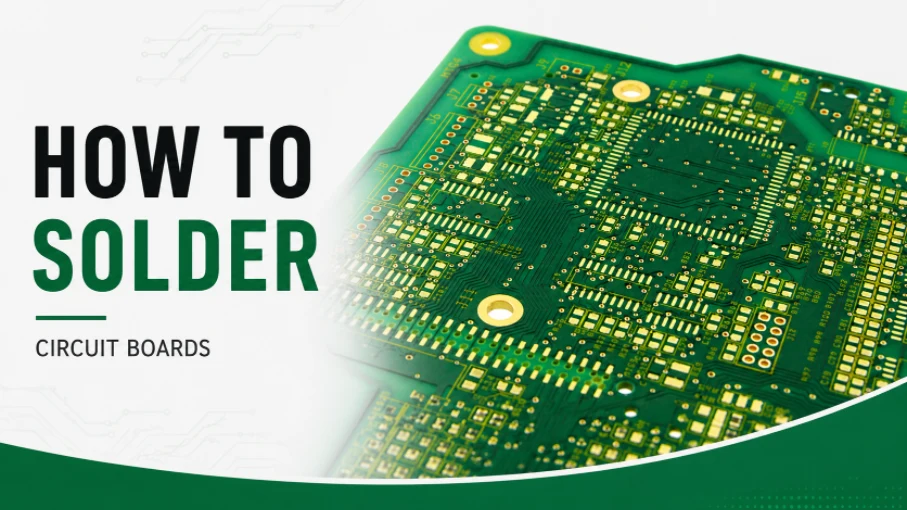
Figure 2. soldering circuit board joints
Through-hole vs. surface-mount basics
Circuit boards use two mounting styles, and the basics differ enough that beginners should start with one.
Through-hole (THT)
Component leads pass through drilled holes and are soldered on the far side. The holes hold parts mechanically while you solder, the joints are large and tolerant of imperfect technique, and mistakes are easy to see and fix. This is the best place to learn the fundamentals — forgiving geometry lets you focus on heat, wetting, and timing.
Surface-mount (SMT)
Parts sit on pads on the board surface, are much smaller, and demand finer tips, more flux, and steadier hands — or hot-air and solder-paste methods for the smallest components. SMT is not harder in principle, but it is less forgiving, so the right order is to make through-hole joints reliable first, then progress to SMT once the basics are second nature.
The fundamental mistake beginners make
Nearly every beginner makes the same core error, and naming it directly fixes most early failures.
Heating the solder instead of the joint
The mistake is melting solder onto the iron tip and then dabbing that molten blob onto the joint. This produces a glob that sits on a cold surface without bonding — a textbook cold joint. The correct fundamental is the reverse: heat the joint, then let the joint melt the solder. Touch the iron to the pad and lead together, give it a second or two, then feed solder to the heated joint, not to the tip.
Why this matters so much
When the joint is hot enough to melt the solder itself, the solder wets and bonds metallurgically. When only the tip is hot, the solder freezes the instant it touches the cool metal. This one habit — heating the joint, not the solder — is the difference between reliable joints and a board full of intermittent faults.
Safety fundamentals you can’t skip
Soldering is safe with basic precautions, and these habits should be in place from your very first joint.
- Heat: the tip reaches 300–400 °C — always use a stand, and assume the tip and freshly soldered joints are dangerously hot for a while after use.
- Fumes: ventilate. Flux fumes irritate the airways; with leaded solder, avoid breathing fumes and wash hands afterward. Never eat or drink at the bench.
- Eyes: wear protection — flux can spit, and clipped leads fly off unpredictably when trimmed.
- Lead hygiene: if using leaded solder, keep it away from food areas and wash up before eating. Lead is a genuine health hazard handled carelessly.
Why these are non-negotiable
None of these precautions slow you down meaningfully, and all of them prevent harm that is easy to avoid and unpleasant to suffer. Building them in as habits from the start means you never have to retrofit safety onto bad practice later.
When to move from hand soldering to a manufacturer
Hand soldering is ideal for learning, prototypes, and repairs — and mastering the basics above makes you genuinely capable at all three. But there is a point where hand work stops being the right tool.
The signs it’s time to scale
Once you need volume, fine-pitch components, or hidden-joint parts like BGAs that no hand can reach, machine assembly with reflow and automated inspection becomes faster and far more reliable than any hand. The fundamentals you learned still apply — they are exactly what the machine automates — but a reflow line delivers them consistently across thousands of joints.
The next step
Highleap Electronics offers SMT and through-hole assembly with AOI and X-ray inspection — the practical next step when a proven prototype needs to become real product. We review your design first with a free DFM check.
Frequently asked questions
What does a good solder joint look like?
Shiny, smooth, and concave — like a small volcano hugging both the pad and the lead. Dull, grainy, or ball-shaped means a cold joint that needs reheating.
Why won’t the solder stick to my joint?
Usually a dirty or un-tinned iron tip, or too little heat or flux. Tin the tip, add flux, and heat the joint itself — not just the solder.
What is flux and do I need it?
Flux cleans oxidation so solder can wet the metal. Rosin-core solder includes some; extra flux greatly helps rework and stubborn joints.
What’s the best solder for beginners?
Leaded 63/37 rosin-core wire around 0.6–0.8 mm — its eutectic, instant freeze is the most forgiving. Switch to lead-free only when RoHS compliance is required.
What temperature should my soldering iron be?
Around 300–350 °C for leaded solder; lead-free runs a bit hotter. A controlled-temperature station makes holding this easy.
Is leaded solder safe to use?
It is fine for hobby and prototype work with basic precautions: ventilate, don’t breathe fumes, keep it away from food, and wash hands afterward. It is not permitted in RoHS commercial products.
Should I learn through-hole or surface-mount first?
Through-hole. Its larger, more forgiving joints let you master heat, wetting, and timing before moving to the smaller, less forgiving geometry of SMT.

Recommended Posts

TMM4 Filter PCB Manufacturing
TMM4 filter PCB manufacturing is controlled by the...

TMM3 PCB Manufacturing for RF Modules
TMM3 PCB manufacturing is most useful where the RF module...

TMM6 PCB Fabrication
TMM6 fabrication is the process-control page for a mid-Dk...
TMM13i PCB Manufacturing
TMM13i PCB manufacturing is aimed at ultra-compact RF...
How to get a quote for PCBs
Let‘s run DFM/DFA analysis for you and get back to you with a report. You can upload your files securely through our website. We require the following information in order to give you a quote:
-
- Gerber, ODB++, or .pcb, spec.
- BOM list if you require assembly
- Quantity
- Turn time
For PCBA services, please provide your BOM (Bill of Materials) and any specific assembly instructions. We also offer DFM/DFA analysis to optimize your designs for manufacturability and assembly, ensuring a smooth production process.