
Microphone PCB Design: How the Board Itself Shapes Your Audio Quality
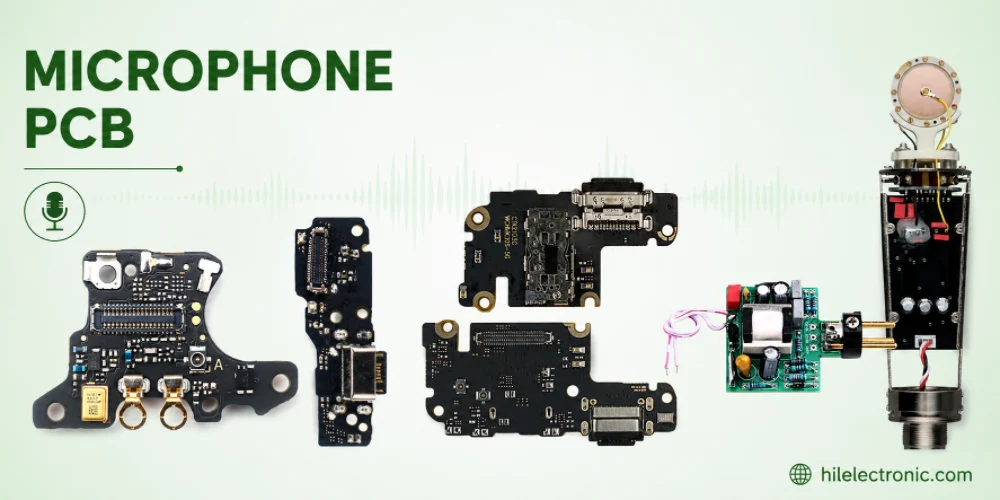
Figure 1. Microphone Pcb reference image for PCB manufacturing review.
- Two dominant sensor types: MEMS (silicon, surface-mount) and electret condenser (ECM)
- MEMS output formats: analog, digital PDM, or digital I2S/TDM
- Port styles: top-port (sound hole in the mic lid) and bottom-port (sound hole in the PCB)
- Typical MEMS SNR: 60–70+ dB(A) — higher is cleaner; premium mics exceed 70 dB(A)
- Bottom-port PCB sound hole: commonly 0.25–0.5 mm, with a matching pad keep-out and gasket seal
- MEMS mics are reflow-compatible but sensitive to flux residue, wash steps, and peak profile
On a microphone PCB, the part everyone focuses on is the sensor — but the board around it does at least half the work. The route the signal takes, where the ground pour sits, how the sound reaches the diaphragm, and how cleanly the part is soldered all decide whether you capture clear speech or a hiss-filled, hollow recording. This guide treats the mic board as an acoustic and electrical system, not just a footprint, and walks through the decisions that separate a quiet, sensitive design from a noisy one. The same material applies whether you searched for a mic PCB, a microphone board, a microphone electronic board, a MEMS microphone PCB, or an electret mic board — they all come down to the sensor, the port, and the grounding.
What follows is what our acoustics-assembly engineers at Highleap Electronics check the moment a microphone shows up on a bill of materials — before the board is fabricated and before the first reflow run.
1. What a Microphone PCB Is and Why the Board Is Part of the Acoustics
A microphone PCB is the circuit board that physically holds a microphone sensor and carries its output — plus any bias, filtering, and ground reference — to a codec, microcontroller, or amplifier. In modern designs the microphone is almost always a surface-mount component, so the board is not merely a carrier: it forms part of the acoustic path and the electrical reference that the sensor depends on.
This is most obvious with bottom-port MEMS microphones, where sound does not enter through the component at all. It enters through a hole drilled in the PCB directly beneath the sensor. In that case the board’s hole diameter, plating, and the seal between the mic and the board are acoustic design parameters every bit as real as the diaphragm itself.
The signal chain on a typical mic board
For an analog microphone, the chain is sensor → bias network → high-impedance trace → codec or pre-amp input. For a digital microphone, the sensor integrates the amplifier and an analog-to-digital converter, outputting a clock-driven PDM or I2S stream. Either way, the board must protect a small, high-impedance, easily corrupted signal from the noisy digital and power circuits sharing the same PCB.
Why the board decides audio quality
Two boards built with the identical microphone part can sound completely different. Ground-loop noise, supply ripple coupling into the bias line, a poorly sealed acoustic port, or a sound hole that is the wrong size will each degrade the recording. The sensor sets the ceiling on quality; the board determines how much of that ceiling you actually reach.
2. MEMS vs Electret, Analog vs Digital: Choosing the Sensor
The first decision on any microphone PCB is the sensor technology and its output format. These choices ripple through the entire layout, so they belong at the start of the design, not the end.
MEMS versus electret condenser (ECM)
A MEMS microphone is a silicon micro-electro-mechanical sensor in a tiny surface-mount package with a built-in amplifier. It is reflow-solderable, extremely consistent part-to-part, stable over temperature, and compact — which is why it dominates phones, laptops, earbuds, and most new designs. An electret condenser microphone (ECM) uses a charged polymer diaphragm and a JFET; it is inexpensive and can sound excellent, but it is usually a through-hole or wire-attached can that is hand-soldered or terminated separately because the electret element can be damaged by reflow heat.
Analog versus digital output
An analog microphone outputs a small voltage that must be routed carefully to a codec and is vulnerable to noise along the way. A digital microphone converts sound to bits inside the package, so its PDM or I2S output is far more robust over distance and immune to most board noise — at the cost of needing a clock and digital routing. For multi-mic arrays and long internal traces, digital almost always wins; for the shortest, simplest single-mic designs, analog can be the lower-cost path.
| Attribute | MEMS (Analog) | MEMS (Digital PDM/I2S) | Electret (ECM) |
|---|---|---|---|
| Assembly | SMT, reflow | SMT, reflow | Through-hole / wired, hand-solder |
| Noise immunity on PCB | Moderate — route with care | High — digital stream | Low — sensitive analog line |
| Part-to-part consistency | Excellent | Excellent | Variable |
| Best fit | Single mic, short trace | Arrays, long routes, beamforming | Cost-driven, hand-built audio |
Reading the datasheet numbers
Two specs drive the choice within a technology. Signal-to-noise ratio (SNR), given in dB(A), tells you how quiet the microphone’s own noise floor is — a 65 dB(A) part is audibly cleaner than a 58 dB(A) one for distant or quiet sources. Sensitivity (in dBV/Pa for analog, dBFS for digital) sets the output level and helps match gain staging downstream. Acoustic overload point (AOP) matters for loud environments. Choose SNR for clarity, sensitivity for level, and AOP for headroom.
3. Acoustic Port Design: Top-Port, Bottom-Port, and Sealing
How sound physically reaches the diaphragm is the part of microphone PCB design most often underestimated. Get the port wrong and even a premium sensor sounds muffled, resonant, or noisy.
Top-port versus bottom-port
A top-port microphone has its sound inlet on the top face of the package, so the board underneath is solid and the hole lives in the product’s enclosure instead. A bottom-port microphone takes sound through a hole in its base, which means the PCB must have a matching through-hole directly under the sensor, aligned to the enclosure’s acoustic opening. Bottom-port designs are common because they let the sound channel pass cleanly through the board into the device housing, but they make the PCB a structural part of the acoustics.
Sizing and finishing the PCB sound hole
The sound hole is typically a small drilled via in the 0.25–0.5 mm range, kept free of solder mask creep and aligned within the manufacturer’s stated tolerance. The pad pattern around it includes a sealed ring so solder paste forms an airtight gasket between the mic and the board — if paste bridges into the hole or the seal leaks, the front and back acoustic chambers short together and SNR collapses. The hole is usually left unplated or controlled-plated per the mic vendor’s footprint to avoid changing its effective diameter.
| Port Element | Design Guidance | If Done Wrong |
|---|---|---|
| PCB sound hole (bottom-port) | Follow vendor footprint; ~0.25–0.5 mm; keep mask clear | Muffled or resonant response, lost level |
| Solder seal / gasket ring | Continuous paste ring; airtight cavity | Acoustic short, severe SNR loss |
| Enclosure-to-PCB alignment | Gasket or boot aligning housing port to PCB hole | Leak path, rattle, inconsistent units |
| Acoustic cavity volume | Keep front volume small and consistent | Resonant peaks coloring the audio |
Protecting the port in assembly
Because the port must stay open and clean, microphone PCBs often require a no-clean process or a protective film during wash, plus careful handling so flux, dust, or conformal coating never enters the hole. This is an assembly-process decision as much as a layout one, and it should be agreed with your manufacturer before the build.
4. Layout, Grounding, and Noise Isolation for a Clean Mic Board
Once the sensor and port are settled, the layout determines how much noise reaches the signal. A few disciplined rules deliver most of the benefit.
- Keep analog mic traces short and direct to the codec, away from switching regulators, clocks, and antennas.
- Provide a quiet, continuous ground reference under the microphone and its bias components; avoid splitting the ground beneath the signal path.
- Decouple the supply at the mic with the vendor-recommended capacitor placed close to the power pin to keep ripple off the bias.
- Route digital PDM/I2S clock and data as a matched, guarded group, and keep that clock away from any analog mic in the same design.
- Place the microphone away from heat and mechanical stress — board flex and connector insertion forces can both couple into the sensor.
- In multi-mic arrays, match trace lengths and maintain identical port geometry so beamforming and noise cancellation behave predictably.
When Highleap reviews a microphone design as part of an audio PCB build, we check the ground reference under the mic, the decoupling placement, and — for bottom-port parts — the sound hole and seal on the fabrication drawing before anything is built. Catching a missing keep-out or a mask-fouled port at this stage costs nothing; finding it after a hiss-filled first article is far more expensive.
| Noise Source | Mitigation on the Mic Board |
|---|---|
| Supply ripple from regulators | Local decoupling at the mic; filtered bias rail |
| Digital clock / data coupling | Separation, guarding, prefer digital mic for long runs |
| Ground-loop and return noise | Continuous ground under the signal path |
| Mechanical / board flex | Place away from mounting stress and connectors |
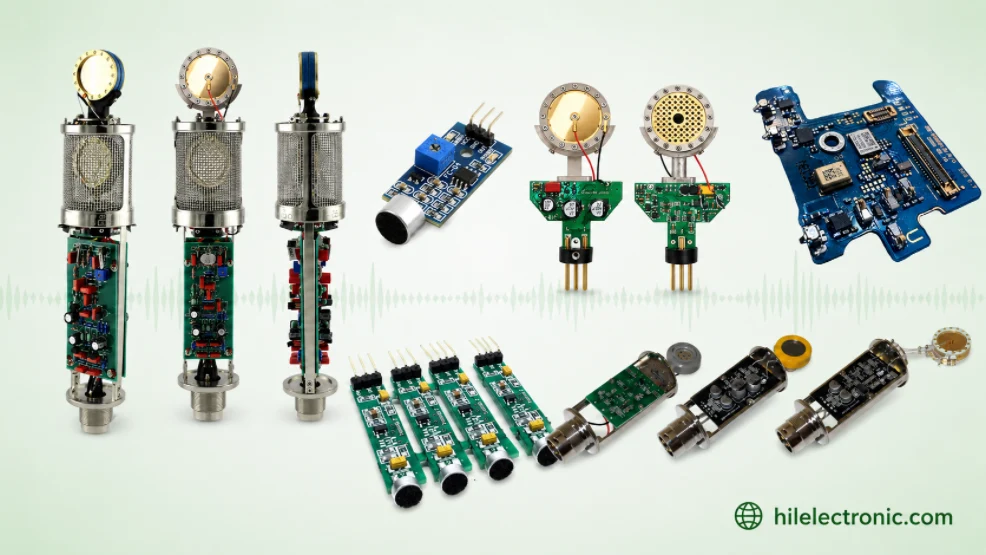
Figure 2. Microphone Pcb details should be checked before quotation and production.
5. Common Microphone PCB Mistakes and Better Alternatives
Most microphone PCB problems are predictable and preventable. These are the recurring ones we see on incoming designs.
- Forgetting the PCB sound hole on a bottom-port mic. The board is fabricated solid and the part is acoustically dead — a respin-level error caught only after assembly.
- Letting solder mask or paste foul the port. Mask creep narrows the hole and paste can seal it; both kill response. Define a clean keep-out.
- Reflowing an electret element. ECM diaphragms can lose charge under reflow heat — use a MEMS part for SMT, or terminate the electret separately.
- Running a long analog mic trace next to a switcher. The result is audible whine; switch to a digital mic or reroute and shield.
- Splitting ground under the microphone. A break in the reference raises noise; keep the pour continuous.
- Washing a no-clean acoustic part aggressively. Liquid and residue in the port degrade SNR; agree the cleaning process up front.
The better approach is to lock three things before layout: sensor technology (MEMS for SMT, ECM only when hand-terminated), output format (digital for arrays and long routes), and port style (which dictates whether the PCB needs a sound hole and seal). Decide those, hand your manufacturer the mic vendor’s footprint and acoustic requirements, and the rest of the design follows cleanly.
6. Where Mic Boards Are Won or Lost: Drill, Mask, and Seal
A microphone board is unusual in that its most important feature — the acoustic port — is created during fabrication and protected during assembly, so the two steps cannot be treated separately. The fabricator who drills the bottom-port hole also has to hold the solder-mask keep-out around it, and the assembler who places the MEMS part has to form an airtight solder seal and keep flux and wash out of the cavity. Split those across two vendors and the seam is exactly where SNR quietly disappears.
Highleap drills and mask-controls the sound hole and runs the fine-pitch SMT assembly on the same line, using a no-clean or port-protected process and the same low-noise practices we apply to audio amplifier assembly. Send the mic vendor’s footprint and acoustic requirements and we will confirm the port, keep-out, and seal before the first board is built.
Get a Quote for Your Microphone PCB
7. Frequently Asked Questions
Does a microphone PCB need a hole in the board?
Only for bottom-port microphones, where sound enters through the base of the part. Those require a small through-hole in the PCB directly under the sensor, aligned to the enclosure opening and surrounded by a sealed pad ring. Top-port microphones take sound through the package, so the board beneath them stays solid.
MEMS or electret — which is better for my product?
MEMS is the default for almost all new designs: it is surface-mount, reflow-compatible, consistent, and compact. Electret condenser mics remain attractive when cost is critical and the part can be hand-terminated rather than reflowed, since reflow heat can damage the electret element.
What is the difference between analog and digital (PDM/I2S) microphones?
An analog mic outputs a small voltage that is sensitive to board noise along its trace. A digital mic converts sound to a PDM or I2S bitstream inside the package, making it far more robust over distance and the better choice for microphone arrays and long internal routes.
Why does my microphone sound muffled or noisy?
The most common causes are an acoustic port that is blocked, mis-sized, or poorly sealed, and electrical noise coupling into an analog signal trace. On a mic board, audio problems usually trace back to the port seal, the ground reference, or supply decoupling rather than the sensor itself.
What SNR should I look for in a MEMS microphone?
For clear speech and general use, 64–65 dB(A) and above is a good target; premium and far-field designs use parts above 70 dB(A). Higher SNR means a lower self-noise floor, which matters most for quiet or distant sources.
Can microphone PCBs be washed after assembly?
They can, but the acoustic port must be protected. Many microphone boards use a no-clean process or a protective film during cleaning so liquid and residue never enter the port. The cleaning approach should be agreed with your assembler before the build.

Recommended Posts

TMM4 Filter PCB Manufacturing
TMM4 filter PCB manufacturing is controlled by the...

TMM3 PCB Manufacturing for RF Modules
TMM3 PCB manufacturing is most useful where the RF module...

TMM6 PCB Fabrication
TMM6 fabrication is the process-control page for a mid-Dk...

TMM10 PCB Manufacturing for Compact RF Designs
Table of contentsHow TMM10 Shrinks RF StructuresTMM10 vs...
How to get a quote for PCBs
Let’s run DFM/DFA analysis for you and get back to you with a report. You can upload your files securely through our website. We require the following information in order to give you a quote:
-
- Gerber, ODB++, or .pcb, spec.
- BOM list if you require assembly
- Quantity
- Turn time
For PCBA services, please provide your BOM (Bill of Materials) and any specific assembly instructions. We also offer DFM/DFA analysis to optimize your designs for manufacturability and assembly, ensuring a smooth production process.