
Best Software for PCB Designing in 2026: A Manufacturing-Ready Selection Guide
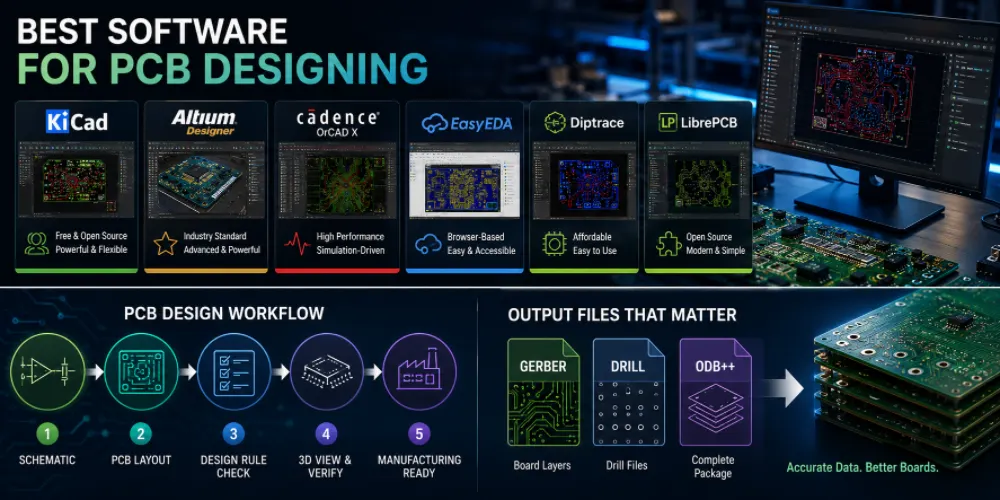
Figure 1. best software used for PCB designing
Last updated: May 2026 · A practical comparison for engineers, makers, and product teams
Choosing the best software for PCB designing is less about finding one universal winner and more about matching a tool to your project’s complexity, your budget, your team size, and — critically — what your manufacturer needs to receive. A schematic that looks finished on screen is worthless if the exported files confuse the fab. This guide compares the leading tools in 2026, explains where each one fits, and keeps the focus on producing boards that can actually be built.
- Why your software choice reaches all the way to the factory floor
- The leading PCB design tools, reviewed individually
- Free vs. paid: the real cost calculation
- The five stages of a PCB design workflow
- Manufacturing output: Gerber, ODB++, and the files that matter
- Component libraries and the footprint problem
- The EAGLE end-of-life situation every designer should know
- From software to finished board with Highleap
- Frequently asked questions
Why your software choice reaches all the way to the factory floor
It is tempting to judge PCB software by its interface or its routing features, but the part that affects your boards most is invisible until production: the quality and completeness of what the tool exports. Three areas decide whether a design sails through fabrication or bounces back with questions.
Design rule accuracy
Every fab has capabilities — minimum trace width, minimum spacing, smallest drill, annular ring rules. Good software lets you load those constraints as design rules so violations are flagged while you work, not discovered after you have ordered. Tools differ sharply in how granular and how enforceable these rules are; weak rule engines let errors through to the fab.
Output file quality
The Gerber and drill files your tool generates are the literal blueprint the factory uses. Clean, standards-compliant RS-274X / X2 Gerbers or a single ODB++ package mean the fab builds exactly what you intended. Messy or incomplete output triggers back-and-forth that delays your order — regardless of how elegant the design looked on screen.
Library reliability
A footprint that doesn’t match the real component is one of the most common — and most expensive — sources of failed boards. Software that makes it easy to verify footprints against datasheets and link them to real purchasable part numbers prevents placement errors and parts that don’t fit. We return to this in the libraries section because it deserves dedicated attention.
The leading PCB design tools, reviewed individually
Below are the tools worth your attention in 2026, each with an honest read on where it shines and where it doesn’t.
KiCad — the free tool that became a professional standard
KiCad has evolved from a hobbyist tool into a genuine professional platform. It is free, open source, and runs on Windows, macOS, and Linux. Version 9 (released February 2025; current stable 9.0.7 as of January 2026) added a zone manager, better net inspection, design-wide DNP handling, and the ability to embed datasheets and 3D models directly in the design. Its defining strengths: no board-size or layer limits, text-based files that work with Git version control, built-in 3D viewer and ngspice simulation, and immunity from vendor discontinuation because it is community-owned.
| Strengths | Limitations |
|---|---|
| Free; no limits; cross-platform; Git-friendly; large community libraries | Weaker high-speed constraint management; autorouter trails commercial tools; scripting docs thin |
Altium Designer — the industry heavyweight
Altium Designer is the commercial industry standard for consumer electronics, aerospace, and high-speed work. Note an important 2026 change: Altium Designer is no longer sold standalone and now ships within the Altium Develop and Altium Agile platforms, built on the Altium 365 cloud. Its value is depth — sophisticated high-speed routing, strong constraint management, ActiveBOM supply-chain integration, and real-time multidisciplinary collaboration. The cost is high and not publicly listed; expect roughly $995/seat/year for the cloud Develop tier up to several thousand per seat per year for fuller Designer access.
| Strengths | Limitations |
|---|---|
| Best-in-class high-speed routing; constraint management; Altium 365 collaboration; Octopart/ActiveBOM sourcing | Expensive; Windows-only; steep learning curve; lose edit access if subscription lapses |
Cadence OrCAD X — simulation and high-reliability
OrCAD (now marketed as OrCAD X) is favored where electrical integrity and rigorous manufacturing rules dominate — HDI boards, dense multi-layer designs, and industrial/automotive work. Its simulation and analysis tools are a major draw for engineers who must prove signal and power integrity before committing to fabrication.
| Strengths | Limitations |
|---|---|
| Strong simulation/analysis; excellent for HDI and high-speed; trusted in regulated industries | High cost; complex; overkill for simple boards |
EasyEDA and the browser-based tools
EasyEDA runs entirely in the browser, with a huge community parts library and direct supplier integration that takes you from schematic to quote quickly. It is consistently rated among the most beginner-friendly tools. The trade-offs are data residency and offline access — concerns for teams with strict privacy needs. Flux.ai (AI-assisted, collaborative) and Fritzing (absolute beginners) occupy adjacent niches.
| Strengths | Limitations |
|---|---|
| Zero install; huge library; supplier integration; gentle learning curve | Cloud dependency; tier limits; less suited to complex designs |
DipTrace, LibrePCB, and other notable tools
DipTrace offers an approachable interface with real capability at an affordable price — popular with intermediate designers and startups. LibrePCB is a free, open-source, no-limits alternative with a clean modern workflow. DesignSpark PCB is another free desktop option, and Altium’s own CircuitMaker is free for the open-source hardware community. Any of these is worth trying if KiCad doesn’t suit you but enterprise pricing is out of reach.
Free vs. paid: the real cost calculation
When free tools work well
Free tools (KiCad, EasyEDA, LibrePCB, DesignSpark) are not a compromise for most work. They handle prototypes, hobby projects, and a large share of commercial boards. KiCad in particular ships real products. If your boards are not extremely high-speed or enormous, a free tool likely covers you completely — confirm only that the license permits commercial use.
When paid tools justify their cost
Paid tools earn their price on the hardest jobs: dense high-speed digital, RF, large multi-board systems, and tightly collaborative teams that need real-time co-design and PLM integration. The value is engineering time saved on complex routing and the collaboration infrastructure — not basic schematic capture, which every tool does.
The real cost calculation
A $4,000/year license that saves an experienced engineer two weeks of routing on a complex board pays for itself; the same license is pure waste on a two-layer sensor board KiCad would handle in an afternoon. Calculate cost against the complexity and volume of your actual work, not against the tool’s feature list. And remember the hidden free-tier traps in commercial tools — board-area and layer caps that quietly block real projects.
The five stages of a PCB design workflow
Whatever tool you choose, the workflow is the same. Understanding it clarifies what each tool must do well.
Stage 1: Schematic capture
You draw the logical circuit — symbols and the nets connecting them — and run an electrical rules check (ERC) to catch unconnected pins and conflicts before they reach the board.
Stage 2: Board setup and stackup
Define the board outline, layer count, and stackup (copper weights, dielectric thicknesses, impedance targets). This is where manufacturing constraints enter the design.
Stage 3: Component placement
Place footprints with assembly and thermal reality in mind — orientation, spacing, edge clearances, and test access. Good placement makes routing and later assembly far easier.
Stage 4: Routing and copper fill
Route traces between pads, pour copper planes, and apply rules for width, spacing, and (where needed) controlled impedance and length matching. This is where premium tools differentiate most.
Stage 5: Verification and output
Run the design rule check (DRC), then generate manufacturing data. Always open the output in an independent viewer before ordering — the single most valuable habit in the whole process.
Manufacturing output: Gerber, ODB++, and the files that matter
Fabrication data for the bare PCB
| File | Purpose |
|---|---|
| Gerber RS-274X / X2 | Copper, mask, silkscreen layer artwork |
| NC drill (Excellon) | Hole sizes and locations |
| Board outline | Mechanical shape and routing |
Assembly data for the PCBA
| File | Purpose |
|---|---|
| BOM | Part numbers, values, quantities |
| Centroid / pick-and-place | X-Y position, rotation, side per part |
| Assembly drawing | Polarity, pin-one, fiducials, DNP notes |
ODB++ vs. Gerber: which should you send?
Gerber plus separate drill and BOM files is universal and accepted everywhere. ODB++ (and IPC-2581) bundles copper, drill, netlist, and component data into one consistent package, reducing the chance of mismatched files. If your tool exports ODB++ and your fab accepts it, it is the cleaner choice; otherwise a complete Gerber set is perfectly fine.
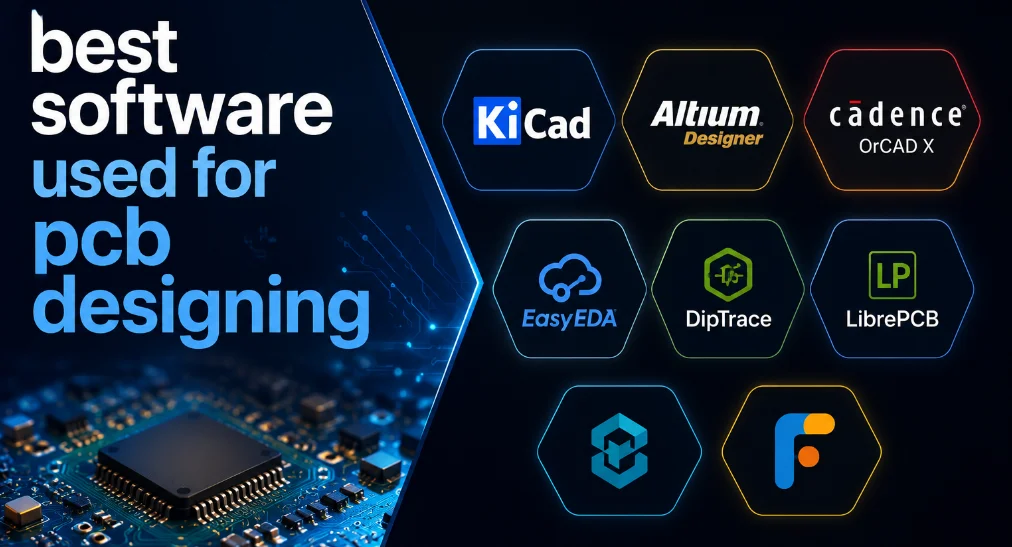
Figure 2. PCB design software manufacturing output
Component libraries and the footprint problem
The footprint problem
Component mismatches — a footprint that doesn’t match the real part’s pad layout or courtyard — cause parts that don’t fit, shorts, and scrapped boards. This is consistently among the top causes of failed prototypes, and no amount of routing skill compensates for a wrong footprint.
Library best practices
Verify every footprint against the manufacturer datasheet, confirm pin-one and polarity, and link each component to a real, purchasable part number before layout. Treat your library as a controlled asset, not a scratchpad.
Cloud libraries and parametric search
Databases like SnapEDA and Ultra Librarian, and integrations like Octopart (used by Altium’s ActiveBOM), provide verified footprints and live supply-chain data. KiCad’s base library is extensive and well supported by third parties, though it lacks built-in part-number integration — which third-party databases fill.
The EAGLE end-of-life situation every designer should know
For years, Autodesk EAGLE was a default recommendation. That ended: EAGLE reaches end of life on June 7, 2026. After that date Autodesk stops selling and supporting it and shuts down the licensing servers, so the application can no longer run. Do not start new projects in EAGLE. Autodesk’s official successor is the Electronics workspace in Autodesk Fusion, which opens EAGLE files directly; the popular open-source migration path is KiCad, whose importer reads EAGLE .sch and .brd files (verify footprints and layer mapping after import). If you have legacy EAGLE designs, export Gerber/ODB++ archives while the software still runs.
From software to finished board with Highleap
What Highleap provides
Highleap Electronics accepts files from KiCad, Altium, OrCAD, EasyEDA, DipTrace, EAGLE, and any tool exporting Gerber or ODB++. Our engineers run a free DFM review that catches the footprint, clearance, drill, and output problems that slip through regardless of software, then handle fabrication and turnkey assembly.
Typical workflow with Highleap
- You upload Gerber/ODB++, BOM, and centroid files.
- We run DFM and flag any manufacturability issues before quoting.
- You approve; we fabricate, assemble, and inspect (AOI/X-ray as needed).
- Boards ship with the documentation your market requires.
Upload your design files for a free DFM review →
Frequently asked questions
What is the best PCB design software overall?
There is no single winner. KiCad is the best free, all-round choice and now ships professional products; Altium Designer leads for complex high-speed and large-team work; EasyEDA and DipTrace are easiest for beginners. Match the tool to your project’s complexity and budget.
Can I use free PCB software for commercial products?
Yes — KiCad, LibrePCB, CircuitMaker, and DesignSpark are used commercially. Always confirm the specific license permits commercial use and that you retain ownership of your data.
Does my PCB manufacturer care which software I used?
No. Fabs build from your exported Gerber/ODB++, drill, BOM, and centroid files, not your design tool. Completeness and correctness of the output is what matters.
Is KiCad really good enough to replace Altium?
For most designs, yes. Altium retains an edge on very high-speed routing, advanced constraint management, and integrated team collaboration. For everyday boards, KiCad is more than sufficient.
What is the difference between Gerber and ODB++?
Gerber is layer-by-layer artwork sent with separate drill and BOM files; ODB++ bundles copper, drill, netlist, and component data in one package, reducing file-mismatch errors. Both are widely accepted.
Should I still learn or use EAGLE in 2026?
No. EAGLE is discontinued on June 7, 2026. Use KiCad, or Autodesk Fusion if you want the official successor with integrated mechanical CAD.
Can a China PCB manufacturer work with my design files?
Yes, if they have strong technical communication and DFM capability. Highleap accepts all common formats, reviews files before building, and supports overseas teams with export documentation and revision control.

Recommended Posts

TMM4 Filter PCB Manufacturing
TMM4 filter PCB manufacturing is controlled by the...

TMM3 PCB Manufacturing for RF Modules
TMM3 PCB manufacturing is most useful where the RF module...

TMM6 PCB Fabrication
TMM6 fabrication is the process-control page for a mid-Dk...

TMM10 PCB Manufacturing for Compact RF Designs
Table of contentsHow TMM10 Shrinks RF StructuresTMM10 vs...
How to get a quote for PCBs
Let‘s run DFM/DFA analysis for you and get back to you with a report. You can upload your files securely through our website. We require the following information in order to give you a quote:
-
- Gerber, ODB++, or .pcb, spec.
- BOM list if you require assembly
- Quantity
- Turn time
For PCBA services, please provide your BOM (Bill of Materials) and any specific assembly instructions. We also offer DFM/DFA analysis to optimize your designs for manufacturability and assembly, ensuring a smooth production process.