
EAGLE vs KiCad in 2026: Why the Comparison Now Has a Clear Winner
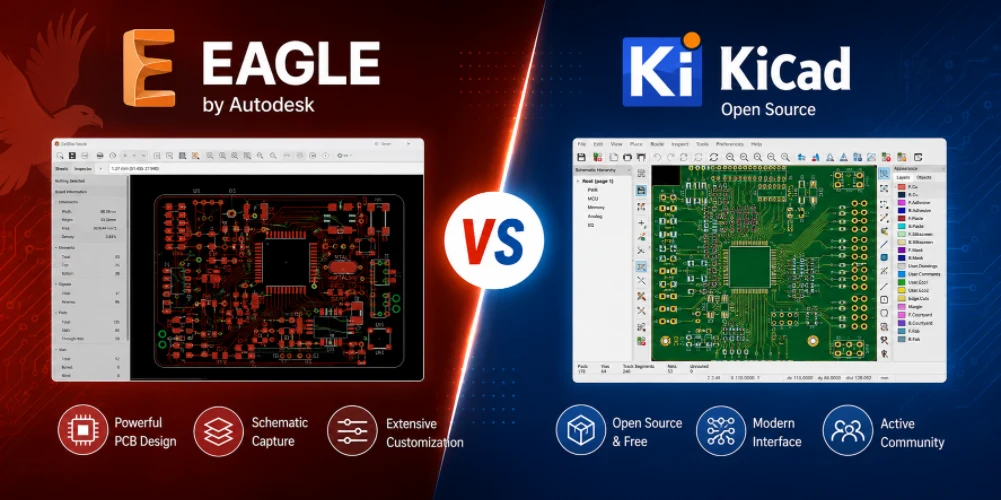
Figure 1. EAGLE vs KiCad
Last updated: May 2026 · An updated head-to-head for a changed landscape
For years, EAGLE vs KiCad was a genuine debate — EAGLE’s polish and community libraries against KiCad’s freedom and price. In 2026 that debate is effectively settled by a single fact: Autodesk is shutting EAGLE down. This guide gives the full comparison anyway, because thousands of designs still live in EAGLE format and many engineers need to decide how to migrate. It covers the end-of-life reality, a fair feature-by-feature look, where each tool genuinely led, where KiCad now wins, and a practical migration path with the Fusion alternative for those who want it.
The 2026 verdict in one paragraph
For years this was close: EAGLE offered a gentler learning curve and renowned community libraries; KiCad offered freedom and no limits but felt rougher. Two developments settled it. First, KiCad matured into a genuinely professional tool — version 9 (released February 2025) added a zone manager, better net inspection, and design-wide DNP handling, closing most of the polish gap. Second, Autodesk set EAGLE’s end of life for June 7, 2026. For any new project, choose KiCad. The only reason to open EAGLE now is to convert existing designs before the cutoff.
Why this isn’t a close call anymore
A tool that will not launch after a fixed date cannot be recommended for new work, no matter its past merits. Even setting aside the end of life, KiCad’s maturation removed most of the practical reasons people once chose EAGLE. The combination — KiCad got good, EAGLE is ending — turns what was a real debate into a one-sided answer.
The EAGLE end-of-life situation explained
EAGLE’s story runs from CadSoft’s 1988 release, through Autodesk’s 2016 acquisition, a 2017 move to subscription, bundling into Fusion in 2020 (last standalone build 9.6.2), a 2023 discontinuation announcement, and finally end of life on June 7, 2026.
What “end of life” actually means here
After the cutoff, the licensing servers go offline and the application will not launch — even with an active, paid subscription, because EAGLE checks those servers to run. This is more absolute than a typical software retirement: it’s not that updates stop, it’s that the program stops opening at all. Your design files are not destroyed, but you need a different tool that can open them.
Why “migrate” is the operative word
Because the files survive but the application doesn’t, every remaining EAGLE user faces the same task: move designs to a tool that can still open them, and do it before the cutoff while EAGLE can still re-export. That reality is what reframes nearly every EAGLE question in 2026 as a migration question rather than a usage question.
EAGLE vs KiCad: feature-by-feature comparison
Even with the end of life looming, a fair feature comparison helps you understand what you’re migrating from and to.
| Aspect | KiCad | Autodesk EAGLE |
|---|---|---|
| Cost | Free, open source | Subscription (via Fusion); ending |
| Future | Active development | ⚠ EOL June 7, 2026 |
| Board-size limit | None | Free tier ~80 cm², 2 layers |
| Platforms | Win/Mac/Linux, offline | Win/Mac/Linux |
| Files / version control | Text-based, Git-friendly | Binary |
| Libraries | Large built-in + SnapEDA/Ultra Librarian | Renowned community libraries |
| Learning curve | Moderate | Historically gentle |
| 3D / simulation | 3D viewer + ngspice built in | Via Fusion integration |
Reading the table
On nearly every line, KiCad now matches or beats EAGLE — and the two lines where EAGLE was historically ahead (gentler learning curve, renowned libraries) are outweighed by the single decisive row: EAGLE’s end of life. A tool with no future cannot win a comparison meant to guide new work.
Where EAGLE genuinely led
Credit where it’s due — EAGLE earned its large following, and acknowledging that explains why migration deserves care.
Its real strengths
EAGLE’s community libraries were a genuine advantage: for many common parts, a verified footprint already existed, saving the effort of building one. Its schematic-to-board workflow felt cohesive, and beginners often found it less intimidating than early KiCad. Its scripting language (ULP) had a devoted user base that automated repetitive tasks.
Why this matters for migration
None of these strengths outweigh being discontinued, but they explain why so many existing projects — and so many tutorials — are in EAGLE format. That installed base is exactly why migration deserves a careful, verified process rather than a careless auto-convert. The libraries and custom parts that made EAGLE pleasant to use are also the parts most likely to need checking after conversion.
The learning curve, then and now
One historical advantage deserves a clear-eyed update. EAGLE’s reputation for an easy learning curve was real and was a major reason it spread through classrooms and maker spaces — early KiCad, by comparison, felt clunky and inconsistent across its separate editors. That gap has largely closed. Modern KiCad unified its workflow, smoothed the schematic-to-board hand-off, and adopted conventions that feel familiar to anyone coming from EAGLE, so a former EAGLE user is usually productive in KiCad within days rather than weeks. The upshot is that “EAGLE is easier to learn” is no longer a strong reason to avoid switching; whatever extra friction exists in moving is a one-time cost, not an ongoing penalty, and it is paid back quickly by KiCad’s lack of limits and its long-term stability.
Where KiCad wins
KiCad’s advantages are not just “it’s free” — though that helps. They span cost, capability, and longevity.
- Cost: free forever, with no license that can lapse or be lost.
- No limits: unlimited board area and layers even at zero cost — no free-tier caps to bump into.
- Version control: text-based files work cleanly with Git, a real advantage for teams tracking changes.
- Longevity: open source and actively developed; it cannot be discontinued by a vendor, which is precisely EAGLE’s downfall.
- Built-in 3D and ngspice simulation without paying for a bundle.
- Ecosystem: broad third-party library support (SnapEDA, Ultra Librarian) and a large active community.
KiCad’s remaining soft spots
KiCad is not flawless — the very high end of signal-integrity work and some thinly documented scripting remain weaker than premium commercial tools. But these rarely affect the people choosing between EAGLE and KiCad, who are typically makers, students, and small hardware teams whose work sits comfortably within KiCad’s capabilities.
How far KiCad has come
It is worth appreciating how much the gap has closed, because the old “KiCad is rough” reputation is out of date. Version 9, released in February 2025, added a proper zone manager, improved net inspection, and design-wide DNP (do-not-populate) handling, building on years of steady refinement to the routing engine, the schematic editor, and the footprint libraries. The interactive router now handles push-and-shove and length tuning competently, the 3D viewer is genuinely useful for checking mechanical fit, and the integrated ngspice simulation covers most analogue verification a small team needs. The practical upshot is that the features that once justified paying for EAGLE — polish, usable libraries, an approachable workflow — are now things KiCad delivers for free, which is a large part of why the comparison tilts the way it does.

Figure 2. EAGLE vs KiCad PCB design comparison
Migrating EAGLE files to KiCad
KiCad includes an importer that reads EAGLE .sch and .brd files directly. A safe migration follows a clear sequence.
The migration steps
- While EAGLE still runs (before June 7, 2026), export Gerber/ODB++ and BOM as a safety archive — these outputs don’t expire and give you a fallback.
- Import the EAGLE project into KiCad using the built-in importer.
- Verify every footprint and the layer mapping — automated conversion is good but imperfect, especially for custom library parts.
- Re-run the design rule check (DRC) in KiCad before generating any production files.
Why manual review is non-negotiable
Recent KiCad releases have continued improving EAGLE and Altium import fidelity, but no automated conversion is perfect. The parts most likely to convert imperfectly are exactly the custom footprints and library parts that EAGLE users relied on. Opening the converted design and checking footprints and layer mapping by eye — then re-running DRC — catches the conversion errors that would otherwise reach the fab.
The Autodesk Fusion alternative
Not everyone wants to leave the Autodesk ecosystem, and there is an official path that doesn’t require it.
What Fusion offers
If you prefer to stay with Autodesk, the official EAGLE successor is the Electronics workspace in Autodesk Fusion, which opens EAGLE files directly and adds integrated mechanical CAD. For teams that value tight ECAD/MCAD integration — designing the board and its enclosure together — Fusion is the natural choice.
The trade-off
Fusion is a paid, cloud-based subscription. It’s the right choice mainly for teams willing to pay for integrated mechanical CAD and Autodesk continuity. For most former EAGLE users seeking a free, no-limits path, KiCad remains the natural landing spot — Fusion is the answer specifically for those who want to stay in the Autodesk world.
Whichever tool you land on
Highleap Electronics accepts KiCad, EAGLE .brd, ODB++, and Gerber data, and runs a free DFM review that catches the footprint and layer-mapping issues a file conversion can introduce — before your boards are built. That review is especially valuable during a migration, when a converted design may carry subtle errors. From there we handle fabrication and assembly.
Frequently asked questions
Should I learn EAGLE or KiCad in 2026?
KiCad. EAGLE is discontinued on June 7, 2026, so learning it now leads nowhere, while KiCad is free, capable, and actively developed.
Can KiCad open EAGLE files?
Yes, via its built-in importer — but check footprints and layer mapping carefully after import, since automated conversion isn’t perfect.
Is KiCad as good as EAGLE was?
For most users, better now: no cost, no size limits, active development, and version-control-friendly text files.
What happens to my EAGLE designs after June 7, 2026?
The files remain yours, but EAGLE won’t run. Open them in KiCad or Autodesk Fusion, and export Gerber/ODB++ archives before the cutoff as a safety net.
Is there a paid alternative if I don’t want KiCad?
Autodesk Fusion (Electronics) is the official EAGLE successor — paid, cloud-based, with integrated mechanical CAD.
Will my manufacturer accept KiCad files?
Yes. Most fabricators, including Highleap, accept KiCad output or its exported Gerber/ODB++ directly.
How long does an EAGLE-to-KiCad migration take?
The import itself is quick; the time goes into verifying footprints and layer mapping on a complex board. Budget real time for that review rather than trusting the auto-convert blindly.

Recommended Posts
Taconic RF 35 vs RO4350B PCB
Table of contentsRF-35 vs RO4350B Procurement and...

TMM4 Filter PCB Manufacturing
TMM4 filter PCB manufacturing is controlled by the...

TMM3 PCB Manufacturing for RF Modules
TMM3 PCB manufacturing is most useful where the RF module...

TMM6 PCB Fabrication
TMM6 fabrication is the process-control page for a mid-Dk...
How to get a quote for PCBs
Let‘s run DFM/DFA analysis for you and get back to you with a report. You can upload your files securely through our website. We require the following information in order to give you a quote:
-
- Gerber, ODB++, or .pcb, spec.
- BOM list if you require assembly
- Quantity
- Turn time
For PCBA services, please provide your BOM (Bill of Materials) and any specific assembly instructions. We also offer DFM/DFA analysis to optimize your designs for manufacturability and assembly, ensuring a smooth production process.