
EAGLE PCB Design Software in 2026

Figure 1. EAGLE PCB design software
Last updated: May 2026 · A status report and migration guide for EAGLE users
Autodesk has announced that EAGLE will no longer be sold or supported as of June 7, 2026, after which the standalone application can no longer be run. EAGLE’s electronics-design capability now lives inside Autodesk Fusion (the Electronics workspace). If you still rely on EAGLE, the time to export your work and plan a migration is now.
If you searched for EAGLE PCB design software expecting to download and start a new design, the headline matters more than a feature list: EAGLE as a standalone product is being retired. It is a capable, historically popular schematic-and-PCB tool, but Autodesk has folded its technology into Fusion and is ending standalone EAGLE. This guide explains what EAGLE was, exactly what end-of-life means, what happens to your existing files, and the two clear migration paths — Autodesk Fusion or the free, open-source KiCad.
.sch and .brd files). Your manufacturing outputs — Gerbers and drill files — remain standard and are unaffected.
What Is EAGLE PCB Design Software? A Short History
EAGLE — “Easily Applicable Graphical Layout Editor” — was created by the German company CadSoft in 1988 and became one of the most widely used schematic-capture and PCB-layout tools among hobbyists, educators, and small hardware teams, helped by an affordable/free tier and a huge library of community parts. Autodesk acquired EAGLE in 2016 and moved it to a subscription model that same year. In 2020, Autodesk integrated EAGLE’s technology into Fusion 360 (now simply Fusion), uniting electronics design with mechanical CAD. The last standalone EAGLE release was version 9.6.2 (May 2020); subsequent development continued inside Fusion’s Electronics workspace.
EAGLE End of Life: Key Dates (June 2026)
Autodesk’s plan retires standalone EAGLE entirely. The key points:
- June 7, 2026 is the end-of-life date: EAGLE is no longer sold or supported.
- Because recent EAGLE relied on Autodesk’s sign-in/licensing, the standalone application can no longer be run after retirement — you should not count on launching it to open old projects past the cutoff.
- EAGLE’s capabilities are not being deleted from the world; they continue inside Autodesk Fusion‘s Electronics workspace, which is the official path forward.
The practical takeaway: export anything you still need from EAGLE and choose a destination tool before the date, rather than after.
What EAGLE’s End of Life Means for Your Files
Your design data is more portable than the application. EAGLE schematics (.sch) and boards (.brd) are in a documented format that both Autodesk Fusion and KiCad can read, and your fabrication outputs are unaffected — Gerber and Excellon/NC drill files are industry standards that any PCB manufacturer accepts regardless of which CAD tool produced them. So if you already have Gerbers for a finished board, you can keep ordering it. What you lose is the ability to edit in standalone EAGLE; that is what migration restores.
EAGLE Alternative 1: Autodesk Fusion (Official Path)
The official continuation is Autodesk Fusion, whose Electronics workspace contains EAGLE’s design engine. It opens EAGLE files directly, so existing users get the most faithful path forward, plus tight integration between the PCB and the mechanical enclosure.
- Best for: existing EAGLE users who want continuity, and teams that value combined electronics + mechanical CAD.
- Consider: Fusion is cloud-connected and subscription-based, and the workflow differs from classic EAGLE, so expect a short learning curve.
EAGLE Alternative 2: KiCad (Free and Open-Source)
KiCad is a mature, free and open-source EDA suite (schematic + PCB + 3D) and the most popular destination for EAGLE users who want to leave the Autodesk ecosystem. KiCad includes an EAGLE importer that reads EAGLE .sch and .brd files, so you can bring existing projects across. (KiCad 7 and later can also import Altium projects via File → Import → Non-KiCad Project, which is useful if your team mixes tools.)
- Best for: hobbyists, students, and professionals who want a no-cost, no-lock-in tool with active development.
- Consider: imports may need cleanup (footprint/library mapping), and KiCad’s interface and library model differ from EAGLE’s.
Best EAGLE PCB Design Software Alternatives Compared
| Tool | Cost | Opens EAGLE files? | Best for |
|---|---|---|---|
| Autodesk Fusion (Electronics) | Subscription | Yes — native continuation | Existing EAGLE users; ECAD+MCAD |
| KiCad | Free / open-source | Yes — via importer | No-cost, no lock-in, all levels |
| Altium Designer | Premium | Import available | Professional/enterprise teams |
| KiCad + browser viewers | Free | View via Altium 365 Viewer | Reviewing files without editing |
For most former EAGLE users the realistic choice is Fusion (continuity) or KiCad (free, independent). If you only need to view EAGLE files rather than edit them, the free Gerber viewer and browser-based design viewers cover that.
How to Migrate EAGLE .sch and .brd Files
- Inventory your projects. Locate every
.schand.brdyou still need, plus any custom libraries. - Pick a destination — Fusion (faithful continuation) or KiCad (free, independent).
- Import. In Fusion’s Electronics workspace, open the EAGLE files directly. In KiCad, use the EAGLE importer to bring in the schematic and board.
- Verify the import. Check that footprints, libraries, net connectivity, and layers came across correctly; remap any parts the importer couldn’t resolve.
- Re-run checks. Run electrical-rules and design-rule checks in the new tool before trusting the layout.
- Regenerate manufacturing files. Export fresh Gerbers, drill files, and a BOM from the new tool for any board you’ll fabricate.
- Archive the originals. Keep your EAGLE source and exported Gerbers safely backed up.
EAGLE File Formats Explained (.sch, .brd, .lbr)
| Extension | Contents |
|---|---|
.sch |
Schematic |
.brd |
PCB board layout |
.lbr |
Library (symbols, footprints, devices) |
Note that files saved from Fusion’s Electronics workspace use a newer internal version than the last standalone EAGLE (9.6.2), which is worth keeping in mind if you exchange files across tool versions.
How to Get PCBs Made After EAGLE’s End of Life
Here is the reassuring part for production: manufacturing does not depend on EAGLE. A PCB factory builds from Gerber and NC-drill data plus a BOM and pick-and-place file — all tool-neutral standards. Whether your design originated in EAGLE, moved to Fusion, or was rebuilt in KiCad, the fabrication package looks the same to the manufacturer. So EAGLE’s retirement changes your design workflow, not your ability to order boards. If you have existing Gerbers from EAGLE, they remain valid; if you migrate, simply regenerate outputs from the new tool.
PCB Fabrication and Assembly with Highleap
Highleap Electronics is a China-based PCB and PCBA manufacturer that accepts standard outputs from any EDA tool — EAGLE, Fusion, KiCad, Altium, and others — for customers in the United States, Europe, and Asia-Pacific:
- Online Gerber viewer — confirm your exported layers look right before ordering.
- DFM review — catch manufacturability issues, useful right after a tool migration when settings may have changed.
- PCB fabrication and assembly from standard Gerber/drill/BOM data, whatever CAD tool produced it.
- PCB layout assistance if you need help reproducing a design in a new tool.

Figure 2. EAGLE PCB design software details
EAGLE PCB Design Software FAQ
Is EAGLE being discontinued?
Yes. Autodesk has set EAGLE’s end of life for June 7, 2026, after which it is no longer sold or supported and the standalone application can no longer be run. Its design technology continues inside Autodesk Fusion’s Electronics workspace.
Can I still open my old EAGLE files?
Yes — through migration. Autodesk Fusion opens EAGLE .sch and .brd files directly, and KiCad can import them with its EAGLE importer. Export and migrate before the cutoff rather than relying on launching standalone EAGLE afterward.
What is the best free alternative to EAGLE?
KiCad. It is free and open-source, actively developed, covers schematic capture, PCB layout, and 3D, and includes an importer that reads EAGLE files. It is the most common destination for users leaving EAGLE who don’t want a subscription.
What is the official replacement for EAGLE?
Autodesk Fusion. EAGLE’s engine was merged into Fusion’s Electronics workspace in 2020, so Fusion is the official continuation and the most faithful path for existing EAGLE projects.
Do I need to re-design my board if EAGLE is gone?
No. Import your existing files into Fusion or KiCad, verify the import, and regenerate manufacturing outputs. And if you already have Gerbers for a finished board, you can keep ordering it as-is — Gerbers are tool-independent.
Will my PCB manufacturer still accept my files after EAGLE ends?
Yes. Manufacturers build from standard Gerber and NC-drill files plus a BOM, which are not tied to EAGLE. Whether the data came from EAGLE, Fusion, or KiCad, the fabrication package is the same.
What were EAGLE’s main file types?
.sch for the schematic, .brd for the board layout, and .lbr for libraries. Both Fusion and KiCad can read the schematic and board files; check that custom libraries import correctly and remap parts as needed.
Should I migrate to Fusion or to KiCad?
Choose Fusion if you want the most faithful continuation of EAGLE (it shares EAGLE’s engine), are comfortable with a subscription, or value tight mechanical/ECAD integration with Fusion’s CAD side. Choose KiCad if you want a free, open-source tool with no subscription, cross-platform support, and a strong community — accepting a short learning curve as menus and workflows differ. Both import EAGLE files, so a practical approach is to import a test project into each and see which feels right before committing.
Is EAGLE still free for hobbyists and students in 2026?
EAGLE’s free and maker tiers were folded into Autodesk Fusion, and Autodesk is ending EAGLE on June 7, 2026, after which the standalone app can no longer be launched. For a free option going forward, KiCad is the common choice — it is free, open-source, and reads EAGLE .sch and .brd files.

Recommended Posts
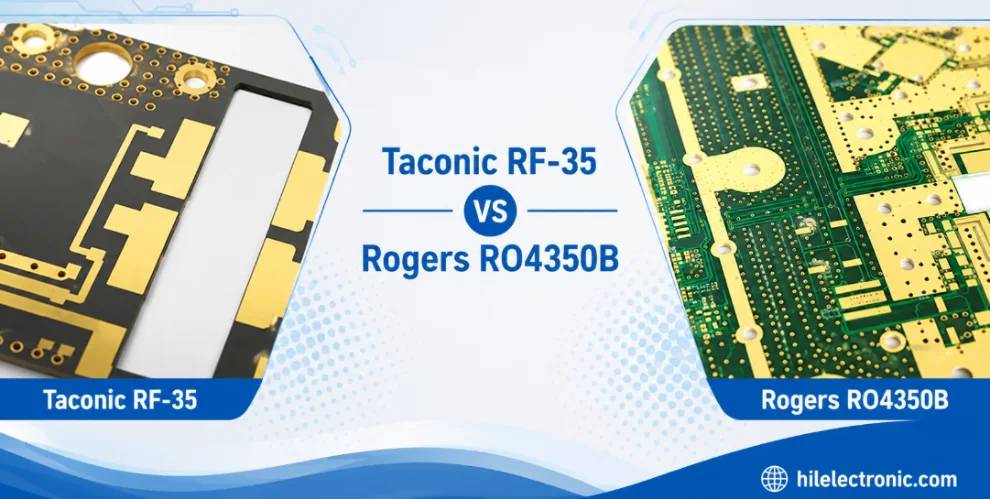
Taconic RF 35 vs RO4350B PCB
Table of contentsRF-35 vs RO4350B Procurement and...

TMM4 Filter PCB Manufacturing
TMM4 filter PCB manufacturing is controlled by the...

TMM3 PCB Manufacturing for RF Modules
TMM3 PCB manufacturing is most useful where the RF module...

TMM6 PCB Fabrication
TMM6 fabrication is the process-control page for a mid-Dk...
How to get a quote for PCBs
Let‘s run DFM/DFA analysis for you and get back to you with a report. You can upload your files securely through our website. We require the following information in order to give you a quote:
-
- Gerber, ODB++, or .pcb, spec.
- BOM list if you require assembly
- Quantity
- Turn time
For PCBA services, please provide your BOM (Bill of Materials) and any specific assembly instructions. We also offer DFM/DFA analysis to optimize your designs for manufacturability and assembly, ensuring a smooth production process.