
8-bit vs 16-bit vs 32-bit MCU: A Practical Guide for PCB Design

Figure 1. 8-bit and 16-bit and 32-bit MCU
1. Introduction: Why MCU Bit Width Matters in PCB Design
Selecting a microcontroller is one of the first decisions in embedded system design. While clock speed and peripheral count often dominate discussions, bit width—8-bit, 16-bit, or 32-bit MCU—fundamentally shapes system architecture. Bit width determines data processing capability, memory addressing range, instruction execution efficiency, and ultimately PCB complexity and cost.
Choosing the right MCU bit width is not about pursuing the highest number. It is about matching architectural capability to application requirements. Bit width serves as the first filter in MCU selection, influencing every downstream design decision from power supply design to signal routing.
2. What Does “Bit” Mean in a Microcontroller?
Core Definition of MCU Bit Width
Bit width defines the native data size an MCU processes in a single operation. An 8-bit MCU handles 8 bits per ALU operation; a 32-bit MCU handles 32 bits. This directly impacts register width, data bus capacity, and maximum addressable memory space.
Bit Width vs. Performance Metrics
Bit width should not be confused with clock frequency or overall performance. A 32-bit MCU running at 8 MHz may execute certain tasks slower than an 8-bit MCU at 20 MHz. Performance depends on instruction efficiency, pipeline design, and workload characteristics—not bit width alone.

Figure 2. 8-Bit MCU
3. 8-bit Microcontrollers: Characteristics and Typical Use Cases
Architecture of 8-bit MCU
8-bit MCUs feature an 8-bit data path with compact register files and limited RAM. Their simple instruction sets enable short execution paths and deterministic timing behavior. This architecture prioritizes efficiency over computational power.
Engineering Advantages
From a PCB design perspective, 8-bit MCUs offer significant advantages: lowest unit cost, minimal power consumption, fast startup times, and excellent real-time response. The reduced pin count and simpler power requirements translate to straightforward board layouts with fewer layers and smaller footprints.
Limitations
8-bit MCUs struggle with complex algorithms and large dataset processing. Memory expansion is constrained, and peripheral integration remains basic. Multi-byte arithmetic requires multiple instruction cycles, reducing efficiency for computation-heavy applications.
Typical Applications
8-bit MCUs excel in simple control logic, low-speed sensor interfaces, household appliances, and basic industrial controls. Applications where response time matters more than data throughput remain ideal candidates for 8-bit solutions.

Figure 3. 16-Bit MCU
4. 16-bit Microcontrollers: A Balance Between Simplicity and Performance
Market Position of 16-bit MCU
16-bit MCUs occupy a middle ground often overlooked in favor of extremes. However, they provide a practical balance for applications requiring moderate computational capability without the complexity overhead of 32-bit systems.
Technical Characteristics
16-bit architectures deliver improved numerical precision, enhanced computational efficiency for control algorithms, and larger addressable memory compared to 8-bit alternatives. Native 16-bit math operations execute in single cycles, benefiting applications like PID control and precision measurement.
Advantages and Limitations
16-bit MCUs suit designs requiring intermediate processing power without excessive system weight. However, their ecosystem and toolchain support lag behind 32-bit options. Market trends increasingly favor cost-optimized 32-bit devices, narrowing the 16-bit value proposition.
Application Examples
Industrial measurement and control, energy management systems, and medium-complexity embedded applications benefit from 16-bit MCU capabilities. These domains require precision without demanding the full resources of 32-bit processors.

Figure 4. STM 32-Bit MCU
5. 32-bit Microcontrollers: High Performance and System Integration
32-bit MCU Architecture
32-bit MCUs feature wide data paths, deep register files, and sophisticated pipeline architectures. Most modern 32-bit embedded controllers utilize ARM Cortex-M or Cortex-R cores, delivering computational power previously reserved for application processors.
Performance Advantages
32-bit MCUs provide high computational throughput, expansive memory addressing capability, and rich peripheral integration including USB, Ethernet, CAN, and display controllers. A mature software ecosystem supports RTOS deployment, comprehensive SDKs, and middleware libraries.
Design Considerations
Increased capability brings design trade-offs: higher component cost, greater PCB complexity with more power planes and signal layers, and critical power management requirements. High-speed signal routing demands careful impedance control and EMI mitigation.
Suitable Scenarios
Communication devices, human-machine interfaces, multi-tasking embedded systems, and complex control applications justify 32-bit MCU selection. Any system requiring significant data processing, graphical displays, or connectivity stacks benefits from 32-bit architecture.
6. Side-by-Side Comparison: 8-bit vs 16-bit vs 32-bit MCU
The following table summarizes key differences across 8-bit, 16-bit, and 32-bit MCU architectures to guide selection decisions.
| Parameter | 8-bit MCU | 16-bit MCU | 32-bit MCU |
|---|---|---|---|
| Data Processing | 8 bits/cycle | 16 bits/cycle | 32 bits/cycle |
| Memory Addressing | Up to 64 KB | Up to 1 MB | Up to 4 GB |
| Peripheral Integration | Basic | Moderate | Extensive |
| Power Consumption | Lowest | Low-Medium | Medium-High |
| Software Complexity | Simple | Moderate | Complex |
| Unit Cost | $0.20-$2 | $1-$5 | $1-$20+ |
| PCB Impact | Simple layout | Moderate | Complex routing |
7. How to Choose the Right MCU Bit Width for Your Application
Application Complexity Assessment
Evaluate task complexity first. Simple state machines and basic I/O suit 8-bit MCUs. Control algorithms requiring floating-point approximations favor 16-bit. Complex protocols, GUIs, or concurrent processes demand 32-bit capabilities.
Real-Time and Software Requirements
Strict real-time constraints may favor simpler architectures with deterministic behavior. Large software footprints—RTOS, TCP/IP stacks, filesystems—require the memory space and processing power of 32-bit platforms.
Peripheral and Power Budgets
Count required peripherals and interfaces. High peripheral count pushes toward 32-bit integration. Battery-powered designs with strict power budgets may favor 8-bit MCUs with superior sleep current specifications.
Cost and PCB Constraints
Consider total system cost including PCB layers, component count, and assembly complexity. Space-constrained designs benefit from 8-bit MCU simplicity. Bit width selection is a system-level trade-off, not an isolated parameter decision.
8. Common Misconceptions About MCU Bit Width
“32-bit MCU Is Always Faster Than 8-bit”
False. Speed depends on clock frequency, instruction efficiency, and workload match. An optimized 8-bit MCU can outperform a 32-bit device on simple byte-oriented tasks while consuming less power.
“Low-End Applications Cannot Use 32-bit MCU”
Incorrect. Entry-level 32-bit MCUs now compete on price with mid-range 8-bit devices. The decision should consider total system cost, development efficiency, and future scalability—not bit width prejudice.
“Bit Width Determines All Performance”
Misleading. Memory bandwidth, cache architecture, peripheral integration, and software optimization often impact real-world performance more than raw bit width. System design holistically determines application success.
9. Conclusion: Bit Width as a Design Trade-Off, Not a Ranking
In my experience, MCU bit width is not a measure of design quality, but a reflection of system requirements. 8-bit, 16-bit, and 32-bit microcontrollers are each optimized for different balances of processing capability, timing behavior, software complexity, and power consumption.
I have found that effective MCU selection starts with the application, not the specification sheet. Defining real-time constraints, peripheral needs, memory usage, and power budgets early often reveals that higher bit width is unnecessary for many control-focused designs, while more complex systems legitimately benefit from 32-bit architectures.
By understanding these trade-offs, engineers can avoid over-design and focus on stability, cost control, and long-term maintainability—factors that consistently determine the success of PCB and embedded system designs.

Recommended Posts

Electronic Contract Assembly: Models, Selection, and the Full Build Process
Figure 1. Electronic Contract Assembly reference image for...

How to Clean Flux Off a PCB: The Right Method for Each Flux Type
Figure 1. How To Clean Flux Off Pcb reference image for...
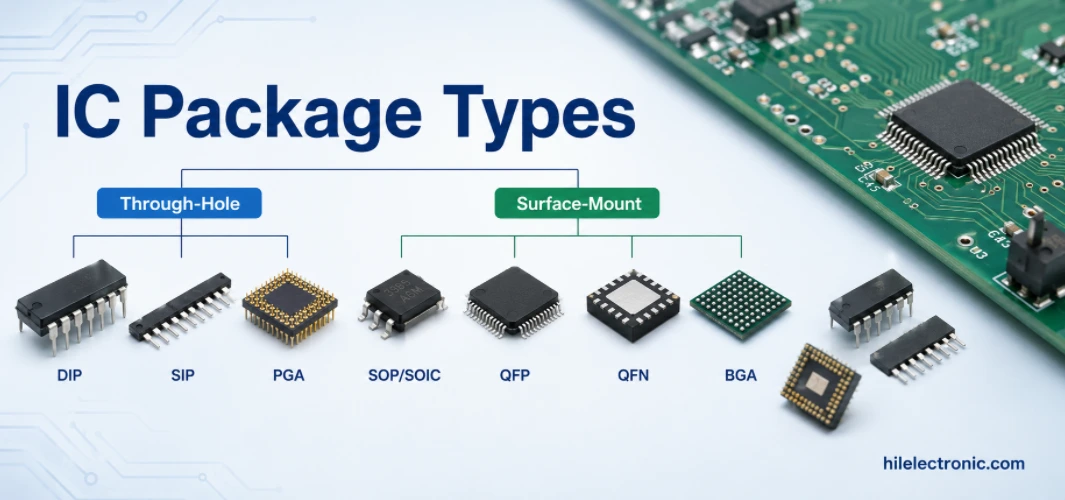
IC Package Types Explained: BGA vs QFN vs QFP, and How to Choose for Your PCB
Figure 1. IC package types image for PCB manufacturing...
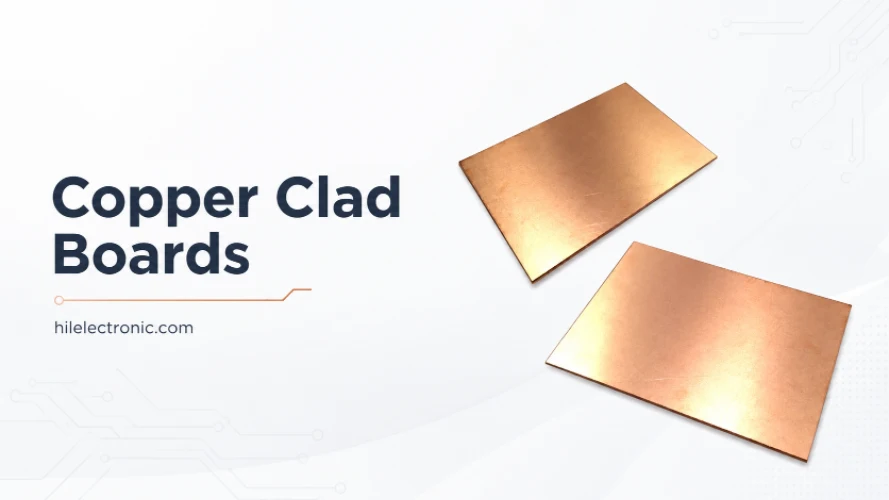
Copper Clad Boards (Copper-Clad Laminate): What They Are, Types, and How PCBs Are Made From Them
Figure 1. copper clad boards image for PCB manufacturing...
How to get a quote for PCBs
Let‘s run DFM/DFA analysis for you and get back to you with a report. You can upload your files securely through our website. We require the following information in order to give you a quote:
-
- Gerber, ODB++, or .pcb, spec.
- BOM list if you require assembly
- Quantity
- Turn time
In addition to PCB manufacturing, we offer a comprehensive range of electronic services, including PCB design, PCBA, and turnkey solutions. Whether you need help with prototyping, design verification, component sourcing, or mass production, we provide end-to-end support to ensure your project’s success.
For PCBA services, please provide your BOM (Bill of Materials) and any specific assembly instructions. We also offer DFM/DFA analysis to optimize your designs for manufacturability and assembly, ensuring a smooth production process.