
How to Generate Gerber Files for PCB Manufacturing
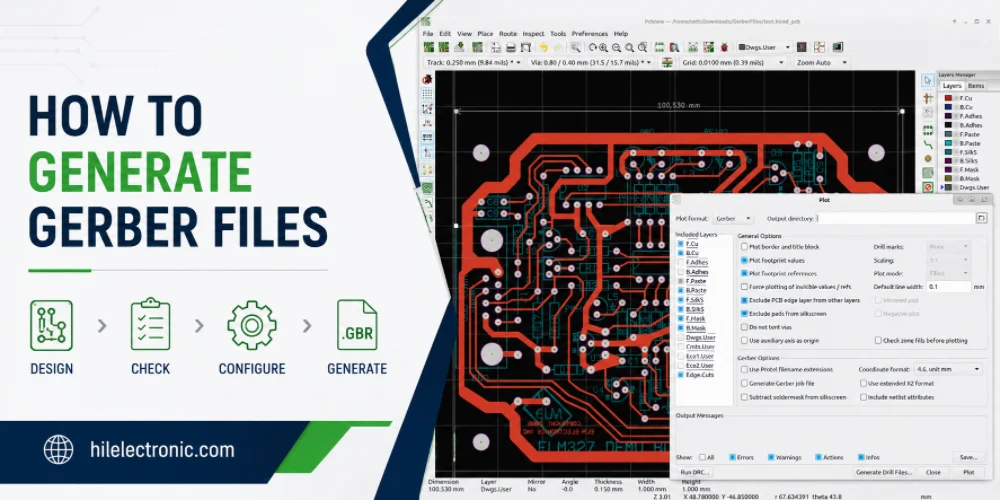
Figure 1. how to generate Gerber files image for Highleap Electronics PCB manufacturing and assembly review.
Gerber files are the layer-by-layer data a fab uses to build your board, and generating them correctly is the step between a finished design and a manufacturable order. The process is similar across EDA tools — produce a Gerber per layer plus an NC drill file, then verify them — but the details and defaults differ, and small mistakes here cause real delays. This guide walks through how to generate a complete, correct Gerber set, what to check before you send it, and how Highleap Electronics reviews your data before building.
1. Which files make up a complete Gerber package?
A complete Gerber package is one Gerber file per layer — every copper, solder mask, and silkscreen layer, plus the board outline and paste layers — together with an NC drill file that defines every hole. Without the full set the fab cannot build your board, and a missing layer (most often a solder-mask or paste file) is one of the most common reasons a quote stalls.
For a board that will also be assembled, the Gerbers and drill file are joined by the assembly data: a bill of materials with manufacturer part numbers, a pick-and-place (centroid) file, and an assembly drawing. Many fabs now also accept ODB++, a single intelligent dataset that bundles all the layer and drill information and removes much of the layer-naming ambiguity that plain Gerbers can introduce. The complete picture of what a manufacturer needs is covered in this overview of PCB design files.
2. How to generate Gerber files in Altium, KiCad, and EAGLE
To generate Gerbers, use your EDA tool’s manufacturing-output function — Fabrication Outputs in Altium, Plot in KiCad, or the CAM Processor in EAGLE — select the layers to export, then separately generate the NC drill file. The flow is the same in spirit across tools; the menu names and defaults differ:
- Altium Designer. Open the PCB, then File → Fabrication Outputs → Gerber Files; choose units and precision, select the layers, and generate the NC drill separately.
- KiCad. In the PCB editor, File → Plot to output Gerbers for the selected layers, then “Generate Drill Files.” KiCad also includes a built-in viewer (GerbView) to check the result.
- EAGLE. Use the CAM Processor with a standard RS-274X CAM job; note that by default only the top silkscreen exports, so add the bottom silkscreen if your board needs it.
Whichever tool you use, the principle is identical: export every required layer plus the drill file, in a modern format, with consistent settings. The same standard files are what let any fab build a board regardless of the design tool — and the broader role of the CAM engineer who ingests your data is worth understanding, because their job is to turn exactly these files into a build.
3. Gerber export settings that prevent manufacturing errors
The export settings that prevent errors are: use RS-274X (or X2) format, set consistent units and adequate decimal precision, include all required layers, and keep the drill file aligned to the same origin as the Gerbers. Most “wrong board” problems trace back to one of these settings rather than the design itself. Get these right:
- Format. Use modern RS-274X (or the newer X2), which embeds aperture data, rather than obsolete formats that need separate aperture files.
- Units and precision. Pick inch or millimeter consistently across all files, with enough decimal precision for your finest features — a units mismatch can scale the whole board.
- Complete layer set. Export every copper, mask, silkscreen, paste, and outline layer; confirm none defaulted off.
- Drill alignment. Generate the NC drill from the same origin so holes register with the copper.
Prefer ODB++ where your fab supports it, since bundling the data into one dataset sidesteps a whole class of layer-naming and alignment mistakes that loose Gerber files invite.
4. How to check your Gerber files before sending them
Always open your generated Gerbers in an independent viewer before sending them, and confirm all layers are present, nothing is mirrored, the drill aligns with the pads, and the board outline is correct. Your EDA tool’s internal preview is not the same as what the factory actually receives, so a quick external check is the cheapest insurance in the whole workflow. Verify:
- All layers present — every copper, mask, and silkscreen layer exported as expected.
- No mirrored layers — top silkscreen reads correctly from the top.
- Drill alignment — holes land on their pads with sensible sizes.
- Correct outline and scale — the board is the right size with cutouts where intended.
Catching a mirrored layer or a missing mask here turns a scrapped batch into a two-minute fix. The detail of why this matters, and a deeper look at the format itself, is in the complete guide to Gerber files.
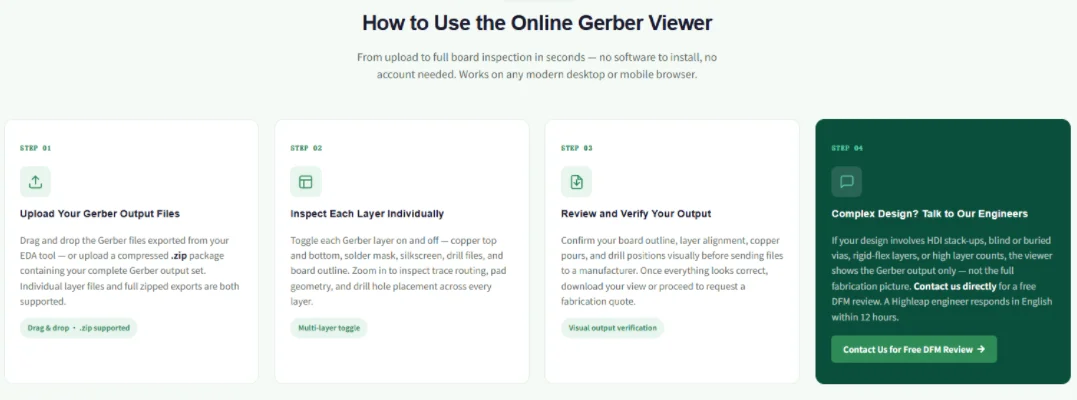
Figure 2. Manufacturing details for how to generate Gerber files should be checked before quotation and production.
5. Common Gerber file errors and how to fix them
The most common Gerber errors are a missing layer, a mirrored layer, a units or scale mismatch, a misaligned drill file, and missing apertures from an obsolete format — and almost all of them are export-setting mistakes, not design flaws. Because they are invisible inside your CAD tool and only appear in a viewer or at the fab, knowing the fix for each saves a respin:
| Error | Cause | Fix |
|---|---|---|
| Missing layer | Layer left unselected at export (often mask or paste) | Re-export with all layers checked; verify in a viewer |
| Mirrored layer | A “mirror” option enabled, or bottom layer flipped wrong | Disable mirroring; confirm top silkscreen reads correctly |
| Wrong scale/size | Inch/mm mismatch or wrong coordinate format | Set consistent units and adequate decimal precision |
| Drill misalignment | Drill file uses a different origin than the Gerbers | Generate drill from the same origin; overlay to check |
| Missing apertures | Obsolete RS-274D format without embedded apertures | Export as RS-274X (or X2), or send ODB++ |
The single habit that prevents nearly all of these is to open the exported set in an independent viewer and confirm the layers, mirroring, drill alignment, and outline before sending. Switching to ODB++ removes the missing-aperture and layer-naming categories entirely, since the data is bundled into one intelligent dataset. The remaining issues — and many that Gerbers cannot show, like marginal spacing — are caught by a fabricator’s DFM checks before the board is built.
6. How Highleap reviews your Gerbers before building
Highleap opens and checks your Gerber and drill data before building — confirming all layers are present, nothing is mirrored, drills align, and the design is manufacturable — then flags anything that would cause a hold. This is a second safety net on top of your own viewer check, and for confidential designs it is a private in-house review rather than a public upload.
From there the same verified files drive fabrication and, where needed, assembly, so both work from one revision. A pre-build manufacturability review catches the issues that Gerbers alone do not reveal, such as marginal spacing or a footprint that will not assemble well. Send a clean, viewer-checked Gerber set (or ODB++) with the drill file, board outline, stackup, and quantity, and the quote and build proceed without back-and-forth through turnkey assembly.
7. Generating Gerber files FAQ
How do I open and view Gerber files?
Load the full set into a Gerber viewer — many EDA tools include one (KiCad has GerbView), and standalone and online viewers exist. Overlay all layers plus the drill file in registration, then toggle layers and switch top/bottom views to inspect.
What does RS-274X mean, and how is it different from RS-274D?
RS-274X is the modern “extended” Gerber format that embeds aperture definitions inside each file. The older RS-274D required a separate aperture list, which was a frequent source of errors, so RS-274D is obsolete and should not be used.
Should I zip my Gerber files before sending them?
Yes — package the complete layer set and the drill file together in one compressed archive so nothing is lost or separated in transit. Keep your tool’s standard file names, and include a short layer map if any names are non-obvious.
Is the drill file part of the Gerbers or separate?
It is a separate NC drill (Excellon) file, not a Gerber layer, but it is part of the complete fabrication package. It must share the same origin as the Gerbers so the holes register correctly with the copper.
Can I generate Gerber files with free software?
Yes — KiCad is free, open source, and exports standard Gerbers and drill files, as do the free tiers of several other tools. Because the output is standardized, a board designed in free software can be built by any fabricator.
Do I need to generate Gerbers if I send ODB++?
No — ODB++ is a complete fabrication dataset on its own, bundling all layers and drill data, so you do not also need separate Gerbers. Send ODB++ where your fab supports it; otherwise send a full Gerber set plus the drill file.

Recommended Posts

Isola Astra MT77 PCB Manufacturing
Figure 1. Isola Astra MT77 PCB ManufacturingIsola Astra...

Nelco N4000-13 PCB Material and Manufacturing Guide | Highleap Electronics
Figure 1. Nelco N4000-13 PCBNelco N4000-13 PCB is a...

Copper Clad Laminate: Complete Material Selection Guide for PCB Engineers
Every electrical property that matters in a printed...

Inside a China Ceramic PCB Factory: Process Control Across Power/LED/RF/Medical
Table of Contents Inside a China Ceramic PCB Factory: How...
How to get a quote for PCBs
Let’s run DFM/DFA analysis for you and get back to you with a report. You can upload your files securely through our website. We require the following information in order to give you a quote:
-
- Gerber, ODB++, or .pcb, spec.
- BOM list if you require assembly
- Quantity
- Turn time
For PCBA services, please provide your BOM (Bill of Materials) and any specific assembly instructions. We also offer DFM/DFA analysis to optimize your designs for manufacturability and assembly, ensuring a smooth production process.