
EAGLE CAD in 2026: End of Life, Free-Version Limits, and Where to Go Next

Figure 1. EAGLE CAD
Last updated: May 2026 · What every EAGLE user needs to know — and do — right now
EAGLE CAD shaped a generation of PCB designers, but in 2026 the single most important fact about it is that it is ending. Autodesk retires EAGLE on June 7, 2026, which turns almost every EAGLE question into a migration question. This guide covers what EAGLE is, the history that led here, the real free-version limits, exactly what happens at end of life, the migration options compared side by side, and how to get your design files cleanly into manufacturing — so you can act before the cutoff rather than scramble after it.
- What EAGLE CAD is
- A short history: CadSoft to end of life
- Free vs. paid version limits
- What happens at end of life — and what to do
- Migration options compared
- How to migrate safely, step by step
- Getting EAGLE files ready for manufacturing
- How Highleap helps during migration
- Frequently asked questions
What EAGLE CAD is
EAGLE (Easily Applicable Graphical Layout Editor) is a schematic-capture and PCB-layout tool, originally from the German company CadSoft and later owned by Autodesk. For decades it was one of the most widely used PCB tools among makers, students, and small hardware teams, prized for its extensive community libraries and a relatively gentle learning curve compared with heavier professional suites.
Why it mattered
EAGLE’s reach came from a combination of approachability and a huge ecosystem: countless tutorials, open-hardware projects, and verified part footprints were created in EAGLE format, which made it a natural default for a generation of hobbyists and small companies. That legacy is exactly why its retirement is disruptive — an enormous body of existing designs lives in its file format.
Its significance now
In 2026, however, EAGLE’s lasting significance is mostly about migration. The product is being retired, so the practical question has shifted from “how do I design in EAGLE?” to “how do I move my existing designs, and what do I use next?” The rest of this guide answers that.
A short history: CadSoft to end of life
Understanding the timeline makes the end-of-life decision clearer — this was a gradual wind-down, not a sudden surprise.
| Year | Event |
|---|---|
| 1988 | CadSoft releases EAGLE |
| 2016 | Autodesk acquires CadSoft and EAGLE |
| 2017 | EAGLE moves to subscription-only licensing |
| 2020 | No longer sold standalone; bundled into Fusion. Last build 9.6.2 |
| 2023 | Autodesk announces discontinuation |
| Jun 7, 2026 | End of life: no sales, no support, licensing servers off |
The move to subscription in 2017 and the folding of EAGLE into Fusion in 2020 were the clearest signals that the standalone product was being phased out. The 2023 discontinuation announcement made it official, and June 7, 2026 is the hard deadline.
Free vs. paid version limits
EAGLE’s free tier was generous for small boards but firmly capped for anything larger, which is worth knowing because those caps shape how people compare it to alternatives like KiCad.
- Free tier: 2 schematic sheets, 2 signal layers, and an 80 cm² board area (about 100 × 80 mm) — licensed for non-commercial use only.
- Paid (via Fusion): up to 999 schematic sheets, 16 layers, and unlimited board area.
Why the limits now point toward successors
Because new EAGLE licenses are no longer sold, those paid limits now live inside a Fusion subscription rather than EAGLE itself. In other words, even if you wanted the full paid capability today, you would be buying into Fusion — which reinforces why the practical conversation in 2026 is about successors rather than about EAGLE’s own tiers.
What happens at end of life — and what to do
After June 7, 2026, Autodesk shuts down the servers EAGLE uses for licensing, so the application will not run at all — not even with an active subscription. Critically, your design files are not destroyed; you simply need a tool that can open them. There are three sensible responses depending on your situation:
- If you’re mid-project on EAGLE: export production outputs (Gerber/ODB++, NC drill, BOM, centroid) now while EAGLE still runs, and archive the source
.schand.brdfiles. Already-generated outputs do not expire — they are just files. - If you want the smoothest path: move the design into the Fusion Electronics workspace, which opens EAGLE files directly with the least conversion friction.
- If you want out of the Autodesk ecosystem: migrate to KiCad (or another tool) before the cutoff, while you can still re-export from EAGLE if the import needs cross-checking.
The common thread across all three: act while EAGLE still launches. The worst position is discovering after the cutoff that you need an output you never generated, with no way to open the source file in EAGLE anymore.
Migration options compared
Several tools can take over from EAGLE, and the right one depends on budget, ecosystem preference, and complexity.
| Tool | Cost | Opens EAGLE files? | Best for |
|---|---|---|---|
| Autodesk Fusion (Electronics) | Paid, cloud | Yes, directly | Staying with Autodesk; integrated MCAD/ECAD |
| KiCad | Free, open source | Yes, via importer | Most former EAGLE users; no limits |
| EasyEDA | Free / low-cost | Partial import | Quick web-based work, hobby |
| Altium Designer | High-end | Yes, via importer | Complex, high-speed, large teams |
Why KiCad is the common landing spot
For most individuals and small teams leaving EAGLE, KiCad is the natural choice: it is free with no board-size or layer caps, uses text-based files that work cleanly with version control, and includes a 3D viewer and ngspice simulation built in. KiCad version 9 (released February 2025) further closed the polish gap that once favored EAGLE. Whichever importer you use, open the converted files in a viewer and re-check footprints and layer mapping before ordering — automated conversions are rarely perfect, particularly for custom library parts.
Matching the successor to your situation
The right replacement really does depend on who you are. A hobbyist or student who valued EAGLE’s free tier loses nothing by moving to KiCad and gains unlimited board size and layers. A small commercial team that was paying for EAGLE through Fusion can either stay in Fusion — keeping the tightest EAGLE-file compatibility and gaining integrated mechanical CAD — or switch to KiCad to drop the subscription entirely. A larger organization doing high-speed or high-layer-count work, the kind that may already feel EAGLE’s ceiling, might use the forced migration as the moment to step up to a high-end tool like Altium. And someone who only needs occasional, quick web-based edits may find EasyEDA’s partial import good enough. There is no single correct answer; the deadline simply forces everyone to pick deliberately rather than drift.
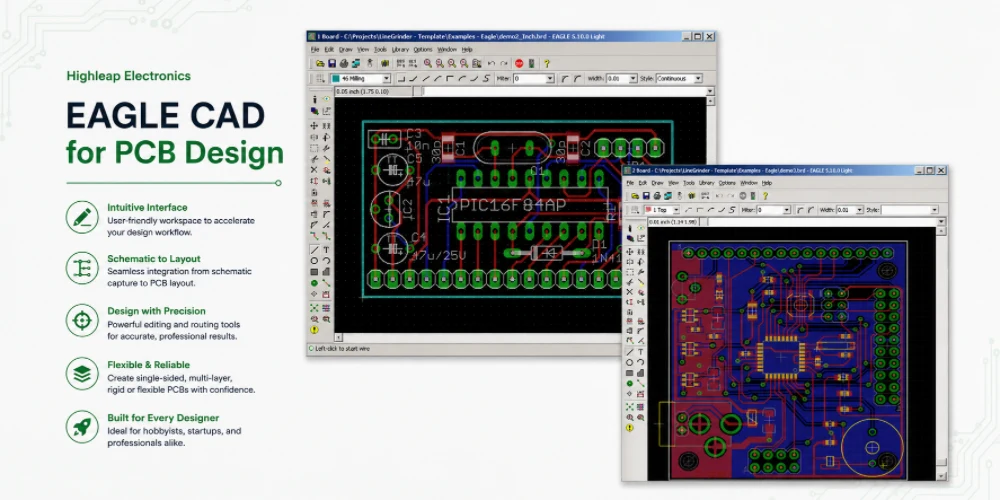
Figure 2. EAGLE CAD PCB manufacturing files
How to migrate safely, step by step
Whether you choose Fusion or KiCad, a disciplined migration protects you from conversion surprises:
- Archive first. While EAGLE still runs, export Gerber/ODB++, NC drill, BOM, and centroid as a safety net independent of any tool.
- Import the project into your chosen successor (Fusion opens EAGLE files directly; KiCad uses its built-in importer).
- Verify every footprint and the layer mapping. This is where automated conversion most often goes wrong, especially for custom or community-library parts.
- Re-run the design rule check in the new tool before generating any production files.
- Compare against the archived outputs to confirm the converted design still matches what EAGLE produced.
Recent KiCad releases have steadily improved EAGLE import fidelity, but a manual review remains essential — never send a freshly converted design straight to fabrication without checking it.
Getting EAGLE files ready for manufacturing
A design that looks finished in CAD can still stall at quotation if the output package is incomplete. Before sending anything to a fabricator:
- Lock the board outline, stackup, copper weight, and any controlled-impedance requirements before generating outputs.
- Verify every footprint against the actual datasheet and the exact part number you intend to buy.
- Generate fabrication and assembly outputs from the same released revision so they cannot drift out of sync.
- Include an assembly drawing with polarity, pin-one, fiducials, tooling, and DNP/DNI notes.
- Open the generated Gerber/ODB++ in an independent viewer to catch missing layers, mirrored outputs, or paste-layer mistakes.
Most fabricators, including Highleap, can also accept the native .brd file or ODB++ directly and generate production data — useful during a migration when your output settings may not yet be fully dialed in.
How Highleap helps during migration
Highleap Electronics handles PCB manufacturing and assembly for customers worldwide. During an EAGLE-to-Fusion or EAGLE-to-KiCad transition we accept EAGLE .brd, ODB++, KiCad, Altium, or Gerber data, run a free DFM review to flag the footprint, layer-mapping, or paste-layer issues that commonly survive a file conversion, and carry the design through fabrication, assembly, and testing on a single controlled revision.
Send your EAGLE or KiCad files for review →
Frequently asked questions
Can I still use EAGLE after June 7, 2026?
No. Autodesk shuts down the licensing servers on that date, so EAGLE will no longer launch even with an active subscription. Export and archive what you need beforehand.
Are my EAGLE files lost when it ends?
No. The files remain yours; you just need a tool that can open them. Fusion Electronics opens them directly, and KiCad and Altium can import them.
What is the best free replacement for EAGLE?
For most former EAGLE users, KiCad — free and open source, with no board-size or layer limits and broad manufacturer support.
What were EAGLE’s free-version limits?
Two schematic sheets, two signal layers, an 80 cm² board area, and non-commercial use only.
Is Autodesk Fusion the same as EAGLE?
Fusion’s Electronics workspace is EAGLE’s official successor and opens EAGLE files directly, within a broader cloud CAD/CAM platform — it is paid and subscription-based.
Can my manufacturer take my native EAGLE file?
Many can, including Highleap. For production, though, it is best to release verified Gerber/ODB++ from a single locked revision.
What should I do first if I still use EAGLE?
Before the cutoff, export your production outputs and archive the source files, then import the project into KiCad or Fusion and verify footprints and layer mapping.

Recommended Posts
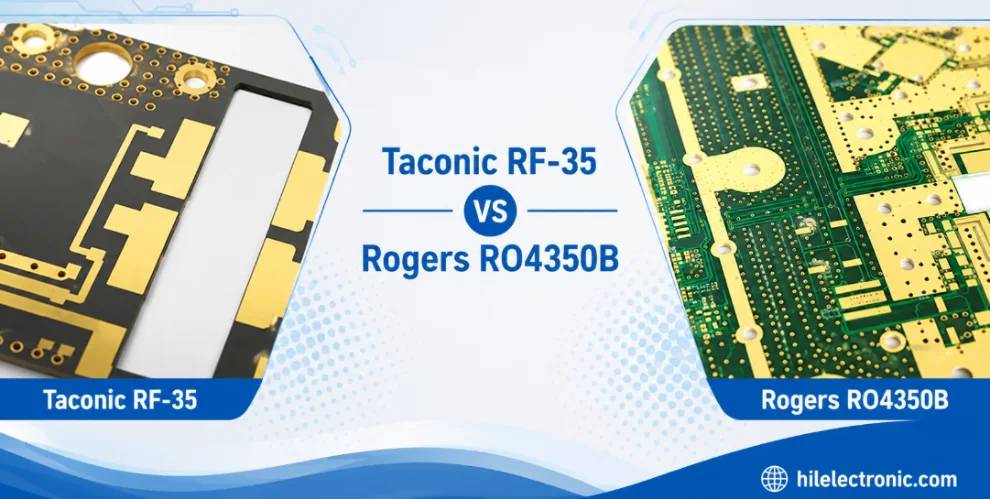
Taconic RF 35 vs RO4350B PCB
Table of contentsRF-35 vs RO4350B Procurement and...

TMM4 Filter PCB Manufacturing
TMM4 filter PCB manufacturing is controlled by the...

TMM3 PCB Manufacturing for RF Modules
TMM3 PCB manufacturing is most useful where the RF module...

TMM6 PCB Fabrication
TMM6 fabrication is the process-control page for a mid-Dk...
How to get a quote for PCBs
Let‘s run DFM/DFA analysis for you and get back to you with a report. You can upload your files securely through our website. We require the following information in order to give you a quote:
-
- Gerber, ODB++, or .pcb, spec.
- BOM list if you require assembly
- Quantity
- Turn time
For PCBA services, please provide your BOM (Bill of Materials) and any specific assembly instructions. We also offer DFM/DFA analysis to optimize your designs for manufacturability and assembly, ensuring a smooth production process.