
PCB Jumper Wire: Uses, Types, and Design Tips
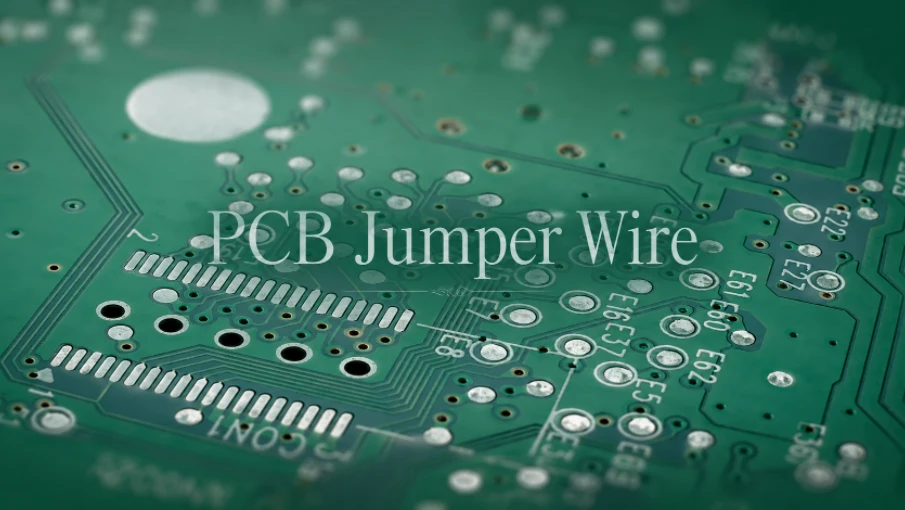
Figure 1. PCB jumper wires are useful for prototypes and controlled rework, but they should be documented clearly before repeat builds.
A PCB jumper wire is a short conductor that bridges two points on a circuit board to complete a connection the copper traces do not make on their own. Jumpers are used to fix routing gaps, configure options, or patch a board after fabrication, and they appear in everything from hobby prototypes to production assemblies.
- A jumper wire bridges two pads or nets that the board’s copper does not connect directly.
- Jumpers can be insulated wire, solder bridges, or zero-ohm resistors, depending on the need.
- They are common for option selection, design fixes, and crossing a single-layer routing gap.
- Good multilayer design removes most of the need for jumpers, improving reliability.
Table of Contents
- What Is a PCB Jumper Wire?
- Jumper Wires vs Solder Bridges vs Zero-Ohm Resistors
- Types of PCB Jumper Wires
- When and Why PCBs Use Jumpers
- Adding Jumpers in Assembly and Rework
- Designing Boards to Avoid Jumper Wires
- How to Solder a Jumper Wire onto a PCB
- Jumper Wires on Prototypes vs Production Boards
- Frequently Asked Questions
What Is a PCB Jumper Wire?
On a finished board, signals travel through etched copper traces. When two points need to be connected but no trace links them, a jumper provides that path. It can be a physical wire soldered across the gap, a deliberate blob of solder, or a component placed to act as a short. The common purpose is always the same: complete a connection the copper layout did not.
Key reasons a jumper exists
- Routing limitation: a single-layer board cannot cross traces, so a jumper hops over one.
- Design correction: a missed or wrong connection is patched without refabricating.
- Configuration: a jumper selects an option, such as a voltage or address setting.
- Late change: a feature is enabled or disabled after the board is already built.
- Prototyping: connections are tested quickly before the layout is finalized.
Jumpers are practical and sometimes unavoidable, but on a production board each one is a manual step and a potential failure point. Understanding why a jumper is there is the first step to deciding whether it belongs in the design or should be engineered out before volume board assembly.
Jumper Wires vs Solder Bridges vs Zero-Ohm Resistors
“Jumper” can mean several different things in practice. Knowing the options helps you pick the cleanest method for the situation.
Key ways to make a jumper connection
- Insulated wire: a length of wire soldered between two pads; flexible but manual.
- Solder bridge: a small solder blob across two close pads; fast but easy to do inconsistently.
- Zero-ohm resistor: a component that looks like a resistor but acts as a wire; placeable by machine.
- Jumper header and shunt: pins with a removable cap for user-configurable options.
- Solder-jumper pad: a pad pair on the board designed to be bridged or left open.
| Method | Best For | Trade-off |
|---|---|---|
| Insulated wire | Longer fixes, rework | Manual, can snag or break |
| Solder bridge | Adjacent pads | Inconsistent if uncontrolled |
| Zero-ohm resistor | Production option links | Adds a part to the BOM |
| Header + shunt | User-changeable settings | Takes board space, height |
For production, a zero-ohm resistor or a defined solder-jumper pad is usually preferred over loose wire because it is repeatable and machine-friendly.
Types of PCB Jumper Wires
Even within “wire” jumpers, there are several forms suited to different jobs and assembly methods.
Key jumper types
- Bare wire link: a short uninsulated jump for very close, low-risk connections.
- Insulated hookup wire: covered wire for longer runs where it might touch other nets.
- Pre-formed wire jumpers: factory-cut, bent links for through-hole boards, placed at fixed pitches.
- Flying lead: a wire used in rework to reroute a signal around a fault.
- Jumper wire harness: grouped wires connecting board sections or modules.
| Type | Typical Use |
|---|---|
| Bare wire link | Short single-layer crossings |
| Insulated hookup wire | Longer fixes near other traces |
| Pre-formed link | Through-hole production jumpers |
| Flying lead | Rework and prototype patches |
Pre-formed links are common on lower-cost single-sided boards, where adding a second copper layer would raise cost more than placing a few jumpers.
When and Why PCBs Use Jumpers
Jumpers appear for both planned and unplanned reasons. Distinguishing the two helps you judge whether a jumper is a sound design choice or a warning sign.
Key situations that call for jumpers
- Single-layer cost saving: a jumper avoids the expense of a second layer on simple boards.
- Configurable options: the same board serves several variants by changing jumper settings.
- Engineering change order: a wiring fix is applied to existing stock without rebuilding.
- Prototype iteration: connections are tried before committing to a final layout.
- Field-set parameters: an installer selects an address or mode on site.
Planned jumpers, such as option-selection pads, are fine. A board that needs many wire fixes to work usually signals a layout that should be revised, ideally during a design review before production.
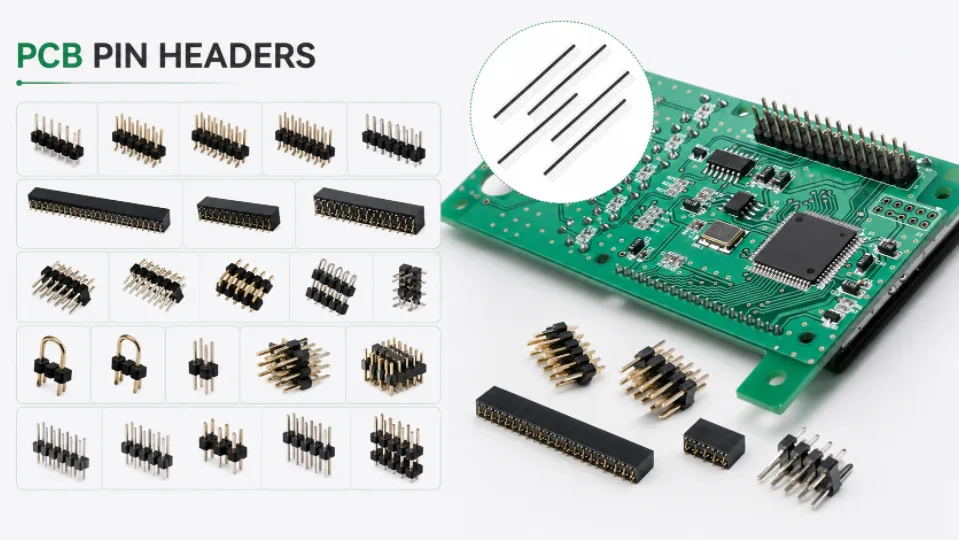
Figure 2. Jumper wire and pin header connections should be controlled so prototype changes do not become unreliable production shortcuts.
Adding Jumpers in Assembly and Rework
How a jumper is installed affects its reliability. In assembly and rework, technique and documentation matter as much as the wire itself.
Key practices for installing jumpers
- Document every jumper: note location and net so it can be inspected and reproduced.
- Secure long wires: tack or route them so vibration does not break the joint.
- Use the right gauge: match wire size to the current it carries.
- Strip and tin cleanly: avoid cold joints and exposed strands that can short.
- Inspect after rework: verify the jumper electrically and mechanically before sign-off.
On boards that combine through-hole and surface-mount parts, jumpers are placed alongside other manual steps. Our mixed-technology assembly line handles these patches in a controlled, documented way so repeatability is not lost.
Designing Boards to Avoid Jumper Wires
The most reliable jumper is the one you never need. A few design choices remove most of them and improve the finished board.
Key ways to design jumpers out
- Add a routing layer: a two-layer or multilayer board lets traces cross without wires.
- Plan the floor plan early: good placement reduces the crossings that force jumpers.
- Use option pads, not loose wire: defined solder-jumper pads keep configuration clean.
- Verify the netlist: catching missed connections in design avoids post-build fixes.
- Run a manufacturing review: a DFM pass flags routing problems before fabrication.
Moving from a single layer to a properly routed multilayer rigid board eliminates most jumpers outright. When a product must also bend or fold, a flexible circuit built through our flex assembly process can replace bundles of jumper wiring with a single etched interconnect. For guidance on whether your design needs jumpers at all, the team at our manufacturing facility can advise during quoting, and our broader manufacturing services cover the full build.
How to Solder a Jumper Wire onto a PCB
Adding a jumper wire by hand is a common repair and prototyping skill. Done well, the jumper is mechanically secure and electrically clean; done poorly, it lifts pads or shorts to nearby traces. A careful, repeatable method avoids both problems.
Key steps to solder a jumper
- Choose the wire: pick a gauge that carries the current and routes neatly.
- Strip and tin: tin both ends so solder flows quickly onto the pads.
- Plan the route: keep the wire clear of tall parts and hot areas.
- Solder both ends: heat pad and wire together for a shiny joint.
- Secure the span: tack or glue long runs so they cannot flex loose.
- Inspect: check for bridges, cold joints, and continuity.
A clean jumper restores the intended connection without disturbing the rest of the board.
Soldering a jumper wire is straightforward but benefits from care. Cut a length of wire to span the two points, strip and tin the ends if it is insulated, then solder each end to its pad or via, keeping the wire flat against the board and away from heat-sensitive parts. On finished products a jumper is often secured with a dot of adhesive so it cannot flex or snag. Neat, short routing keeps the repair reliable and easy to inspect.
Jumper Wires on Prototypes vs Production Boards
Jumpers are normal on a prototype but a warning sign in volume production. What is acceptable depends entirely on whether you are validating a design or shipping a product.
Key differences in practice
- Prototypes: patching a missed net with a jumper is quick and expected.
- Production limits: hand jumpers add labor and vary board to board.
- Reliability: an unsecured wire can fatigue or short over time.
- Acceptance class: many specs restrict jumpers on higher-reliability builds.
- When to respin: recurring jumpers justify a corrected board revision.
| Context | Jumper Use | Consideration |
|---|---|---|
| Prototype | Acceptable | Fast design validation |
| Low-volume | Limited | Adds manual labor |
| High-reliability | Avoid | May fail acceptance criteria |
If jumpers keep appearing because routing is tight, a denser stackup is usually the real fix, which is where higher-density HDI routing removes the need for them altogether.
Frequently Asked Questions
What is the difference between a jumper wire and a jumper?
“Jumper wire” specifically means a wire used to bridge a connection. “Jumper” is broader and can also mean a header-and-shunt pair, a zero-ohm resistor, or a solder bridge. All complete a connection the copper does not.
Are jumper wires a sign of a bad PCB design?
Not always. Planned jumpers for configuration or single-layer cost saving are normal. A board that needs many wire fixes to function, though, usually points to a layout that should be revised.
Can a zero-ohm resistor really replace a wire?
Yes. A zero-ohm resistor is essentially a wire in a standard component package, so it can be placed by pick-and-place machines and bridges a connection just like a jumper while staying machine-friendly.
Do jumpers affect signal quality?
They can. A jumper adds length and, for wire types, an uncontrolled path, which matters for high-speed or sensitive signals. For those, routing on a proper layer is far better than a wire jumper.
Why do cheap single-sided boards have so many jumpers?
A single copper layer cannot cross traces. Adding jumpers is cheaper than adding a second layer, so low-cost boards trade a few manual links for a simpler, less expensive stackup.
How should I document a jumper added during rework?
Record its location, the two nets it connects, and the wire gauge on the assembly drawing or a rework note. Clear documentation lets inspectors verify it and lets the change be reproduced consistently.
Can flexible circuits reduce the need for jumper wiring?
Often, yes. A flexible or rigid-flex circuit can carry connections through an etched interconnect that would otherwise require multiple wires, reducing manual assembly and improving reliability in moving or folded assemblies.

Recommended Posts
Taconic RF 35 vs RO4350B PCB
Table of contentsRF-35 vs RO4350B Procurement and...

TMM4 Filter PCB Manufacturing
TMM4 filter PCB manufacturing is controlled by the...

TMM3 PCB Manufacturing for RF Modules
TMM3 PCB manufacturing is most useful where the RF module...

TMM6 PCB Fabrication
TMM6 fabrication is the process-control page for a mid-Dk...
How to get a quote for PCBs
Let‘s run DFM/DFA analysis for you and get back to you with a report. You can upload your files securely through our website. We require the following information in order to give you a quote:
-
- Gerber, ODB++, or .pcb, spec.
- BOM list if you require assembly
- Quantity
- Turn time
For PCBA services, please provide your BOM (Bill of Materials) and any specific assembly instructions. We also offer DFM/DFA analysis to optimize your designs for manufacturability and assembly, ensuring a smooth production process.