
Altium for PCB Design in 2026: Capabilities, Cost, and Whether It’s Worth It
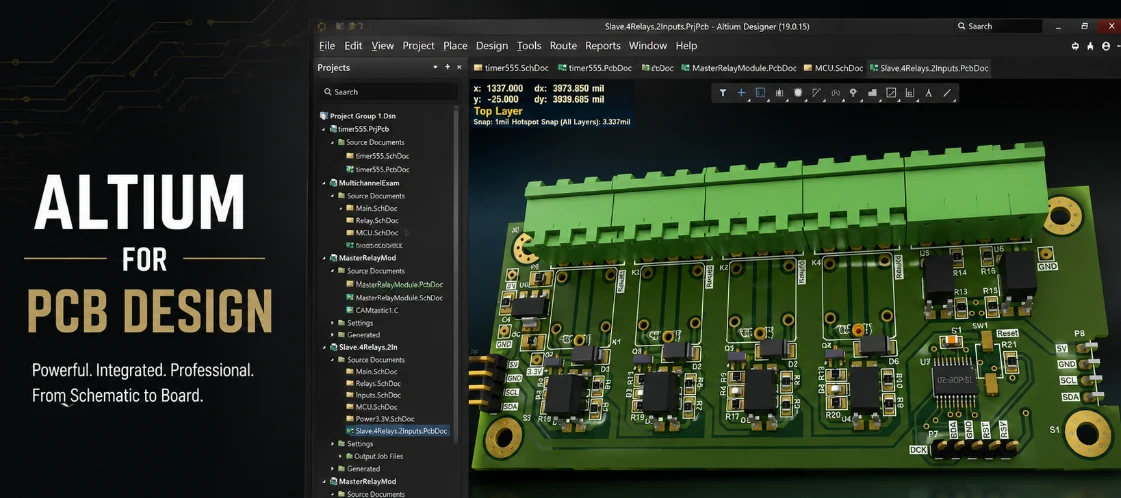
Figure 1. Altium for PCB design
Last updated: May 2026 · An honest look at Altium Designer for hardware teams
Altium is the name that comes up whenever PCB design gets serious — high-speed digital, dense multi-layer boards, regulated industries, and teams that need to collaborate in real time. It is powerful and widely adopted, but it is also expensive, Windows-only, and recently restructured into a platform rather than a standalone product. This guide explains what Altium actually does for PCB work, what changed in 2026, what it really costs, where it genuinely beats free alternatives, who should and shouldn’t pay for it, and how to get Altium designs cleanly into manufacturing.
- What Altium Designer is — and what changed in 2026
- The core capabilities that define Altium
- What Altium actually costs in 2026
- Altium vs. KiCad vs. OrCAD
- Who should pay for Altium — and who shouldn’t
- The learning curve and ecosystem
- Getting Altium files ready for the factory
- From Altium to a built board
- Frequently asked questions
What Altium Designer is — and what changed in 2026
Altium Designer is a commercial, industry-standard EDA suite for printed circuit boards, developed by Altium (the product line originally branded Protel) and in continuous development since 2005. It unifies schematic capture, board layout, constraint management, and manufacturing output in one tightly integrated environment — one of its long-standing selling points against tools that bolt these stages together loosely.
The platform shift
An important structural change defines Altium in 2026: Altium Designer is no longer sold as a standalone product. It is now delivered within the Altium Develop and Altium Agile platform solutions, built on the Altium 365 cloud. This reflects Altium’s move from selling a desktop application to selling a connected platform.
What Altium 365 adds
Altium 365 is the connective tissue — a cloud workspace that hosts schematics, layouts, MCAD models, and BOMs so electrical, mechanical, software, and sourcing stakeholders can work together with tracked changes and early supplier input. For a solo designer this matters little; for a multidisciplinary team it is the central reason to choose Altium over a cheaper tool, because it brings everyone into one versioned source of truth.
The core capabilities that define Altium
Altium’s price is justified, when it is justified, by a handful of capabilities that free tools either lack or implement less completely.
High-speed and advanced routing
Altium’s interactive routing — push-and-shove, length tuning, differential pairs, and controlled impedance — is among the best available. This is the single biggest reason it dominates high-speed digital and RF work, where managing signal timing and impedance across hundreds of nets by hand would be impractical. The router actively helps you maintain constraints as you work rather than just flagging violations afterward.
Constraint management
A robust rules engine lets you define and enforce electrical and physical constraints across the entire design, catching violations as you work rather than at the fab. On a complex board the constraint system is what keeps a large team’s work consistent and manufacturable — every designer is held to the same rules automatically.
ActiveBOM and supply-chain integration
Through Octopart integration, Altium’s ActiveBOM surfaces live pricing, availability, and lifecycle data inside the design environment, so component sourcing problems — an end-of-life part, a long lead time, a price spike — appear before they reach production. This is a genuine efficiency edge over tools without supply-chain links, where you discover a sourcing problem only when you try to buy the parts.
Altium 365 collaboration
Real-time, multidisciplinary co-design and review in the cloud bridges ECAD and MCAD and gives production engineers a voice early in development. Comments, version history, and shared workspaces replace the error-prone habit of emailing files back and forth, which is where many team mistakes originate.
What Altium actually costs in 2026
Altium does not publish list prices, which frustrates buyers trying to budget. Based on reseller and verified-user data, realistic 2026 figures are as follows — treat them as ballpark, since tier, seat count, and contract length all move the number.
| License model | Approximate cost |
|---|---|
| Altium Develop (cloud workspace) | from ~$995 / seat / year |
| Designer subscription | ~$3,500–$7,500 / seat / year |
| Perpetual + maintenance | ~$6,000–$9,000 up front, +15–22%/yr |
| Student license | Free (verified, non-commercial) |
| CircuitMaker | Free (open-source hardware) |
The subscription trap to plan for
With subscription licensing, if your term lapses you typically lose the ability to open or edit designs in the software until you renew. Your files are not deleted — they remain intact — but they become inaccessible in Altium until you pay again. Many teams export to neutral Gerber/ODB++/PDF formats as a precaution so a lapsed subscription never strands a design they need to manufacture.
Why budgeting requires a quote
Because pricing is unpublished and varies by configuration, the only reliable number is a current quote for your exact seat count and tier. The figures above are useful for deciding whether Altium is even in your budget range, but should not anchor a purchase decision on their own.
Altium vs. KiCad vs. OrCAD
Altium does not exist in a vacuum. The two tools it is most often weighed against are free KiCad and high-end Cadence OrCAD X.
| Aspect | Altium | KiCad | OrCAD X |
|---|---|---|---|
| Cost | High | Free | High |
| High-speed routing | Excellent | Good | Excellent |
| Collaboration | Altium 365 | Git-based | Allegro X cloud |
| Simulation | Strong | ngspice (basic) | Very strong |
| Platform | Windows only | Win/Mac/Linux | Windows only |
| Best for | Complex, teams | Most everyday work | HDI, sim-heavy |
The honest summary
KiCad does most of what most teams need for free; Altium and OrCAD earn their cost on the hardest, highest-speed, most collaborative jobs. The gap between Altium and KiCad has narrowed considerably as KiCad matured, but it has not closed at the very high end — for dense high-speed digital and large-team coordination, Altium still leads.
Where each pulls ahead
Altium’s distinctive strengths are its routing polish and Altium 365 collaboration. OrCAD X pulls ahead specifically on simulation and analysis for HDI and signal-integrity-heavy work. KiCad pulls ahead on cost, cross-platform support, and version-control-friendly text files. Altium also offers CircuitMaker, a free tool on the same engine, for open-source hardware projects.
Who should pay for Altium — and who shouldn’t
The value of Altium is entirely about whether you use the features that justify its price. Buying it for prestige rather than need is the most common mistake.
Worth it for
Teams designing dense high-speed digital or RF boards, large multi-board systems, or regulated products; organizations that need real-time multidisciplinary collaboration and supply-chain integration; and engineers whose time saved on complex routing genuinely exceeds the license cost. A license that saves an experienced engineer two weeks of routing on a complex board pays for itself many times over.
Not worth it for
Hobbyists, students, and small teams doing straightforward two- to four-layer boards — KiCad or EasyEDA will serve them fully at no cost. On a simple sensor board, Altium’s advanced features sit unused while the bill arrives anyway. The value is in advanced capabilities you must actually exercise; if your work never touches them, you are paying for nothing.
The honest test
Ask whether your boards regularly hit problems that free tools struggle with: high-speed constraints, very dense layouts, large collaborative teams, integrated supply-chain checks. If yes, Altium likely pays back its cost. If your boards route comfortably in KiCad, the money is better spent elsewhere.
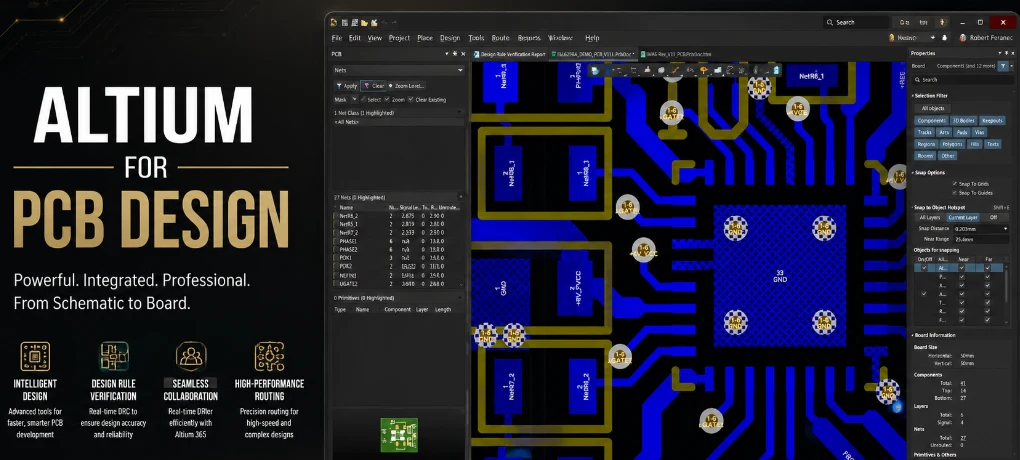
Figure 2. Altium PCB design manufacturing files
The learning curve and ecosystem
Altium is deep, and depth has a cost in time as well as money.
The learning curve
Altium has a steeper learning curve than beginner tools, reflecting its breadth. Engineers moving from a simpler tool should budget real time to become productive, especially with the constraint system and Altium 365 workflows. The payoff is high once mastered, but it is not a tool you pick up in an afternoon.
Libraries and supply chain
Altium’s library and ActiveBOM/Octopart integration are a genuine ecosystem advantage: verified parts with live availability and pricing tied directly into the design. This reduces the footprint and sourcing errors that cause failed prototypes, which is part of what you are paying for beyond the routing engine itself.
Getting Altium files ready for the factory
Altium exports clean manufacturing data, but release discipline still applies — good output settings do not replace a final check.
The output package
- Output ODB++ (preferred) or a complete Gerber set, plus NC drill and board outline.
- Generate the BOM (ActiveBOM) and centroid from the same released revision so files never disagree.
- Include an assembly drawing with polarity, pin-one, fiducials, and DNP/DNI notes.
- State stackup and impedance targets for controlled-impedance boards.
- Open the outputs in an independent viewer before sending — automation does not replace a final human check.
Why revision discipline matters
The most common manufacturing snag is not a bad tool but a mismatched package — a BOM from one revision and Gerbers from another. Generating everything from a single released revision, and verifying it in a neutral viewer, eliminates the back-and-forth that delays orders regardless of how powerful the design tool was.
From Altium to a built board
Highleap Electronics accepts Altium ODB++ and Gerber output, runs a free DFM review, and carries the design through fabrication and turnkey assembly on a single controlled revision — useful whether you are a solo Altium user or a team working in Altium 365. We build from your exported manufacturing data, not the native Altium file, so no special software is needed on our end.
Send Altium files for a quote →
Frequently asked questions
How much does Altium Designer cost?
Altium does not publish prices. Realistically, from ~$995/seat/year for the cloud Develop tier up to several thousand per seat per year for fuller Designer access; perpetual licenses cost more up front plus annual maintenance. Always get a current quote for your configuration.
Is Altium still sold as a standalone product?
No. As of 2026 Altium Designer is delivered within the Altium Develop and Altium Agile platforms, built on the Altium 365 cloud.
Is Altium better than KiCad?
For very high-speed, large, or tightly collaborative designs, yes. For most everyday boards, free KiCad is more than sufficient and the difference rarely justifies the cost.
What happens if my Altium subscription lapses?
You typically lose the ability to open or edit designs in the software until you renew. Files are not deleted; export to Gerber/ODB++/PDF beforehand as a safeguard.
Is there a free version of Altium?
Not for commercial use, but verified students get free licenses, and Altium offers the free CircuitMaker for open-source hardware projects.
Does my manufacturer need Altium to build my board?
No. They build from your exported ODB++ or Gerber data, not the native Altium file. The design tool is irrelevant to the fab once you have correct output files.
Is Altium worth it for a small startup?
Only if you are doing genuinely complex or high-speed work, or need team collaboration. A small startup doing standard boards is usually better served by KiCad until complexity forces the upgrade.

Recommended Posts
Taconic RF 35 vs RO4350B PCB
Table of contentsRF-35 vs RO4350B Procurement and...

TMM4 Filter PCB Manufacturing
TMM4 filter PCB manufacturing is controlled by the...

TMM3 PCB Manufacturing for RF Modules
TMM3 PCB manufacturing is most useful where the RF module...

TMM6 PCB Fabrication
TMM6 fabrication is the process-control page for a mid-Dk...
How to get a quote for PCBs
Let‘s run DFM/DFA analysis for you and get back to you with a report. You can upload your files securely through our website. We require the following information in order to give you a quote:
-
- Gerber, ODB++, or .pcb, spec.
- BOM list if you require assembly
- Quantity
- Turn time
For PCBA services, please provide your BOM (Bill of Materials) and any specific assembly instructions. We also offer DFM/DFA analysis to optimize your designs for manufacturability and assembly, ensuring a smooth production process.