
PCB Power Connector Selection: Types and Mounting

Figure 1. PCB power connector type example for current, voltage, and mounting selection.
A PCB power connector is the board-mounted interface that brings current and voltage onto a circuit board, while board sockets provide removable mating points for modules, cables, and serviceable parts. Together, these connectors and sockets create the mechanical and electrical interfaces that let a PCB receive power, exchange signals, and stay maintainable in the field.
Key takeaways
- Sockets allow tool-free insertion and removal; connectors carry power or data across that interface.
- Power connectors are chosen by current rating, voltage, and contact pitch — not just by shape.
- IC sockets let chips be replaced or reprogrammed, useful for prototypes and field-serviceable products.
- Mounting style (through-hole vs surface-mount) affects mechanical strength and assembly method.
Table of Contents
- What Is a PCB Socket and a PCB Power Connector?
- Types of PCB Sockets and Connectors
- Choosing Power Connectors by Current, Voltage, and Pitch
- IC Sockets for Replaceable Chips
- USB and Data Connectors on a PCB
- Through-Hole vs Surface-Mount Connector Mounting
- Designing Connector Footprints for Assembly
- How to Choose the Right PCB Connector
- Frequently Asked Questions
What Is a PCB Socket and a PCB Power Connector?
On almost every electronic product, something needs to plug in: a power supply, a cable, a removable module, or a replaceable chip. PCB sockets and connectors provide that mating interface. A socket is the fixed half soldered to the board; the plug or component is the mating half that inserts into it. A power connector is simply a connector whose contacts are built and rated to carry meaningful current.
The reason these parts get their own design attention is that they are mechanical and electrical at the same time. They must make a reliable low-resistance contact, survive repeated insertion cycles, withstand the forces of plugging and unplugging, and stay soldered to the board through all of it. A connector that is electrically fine but mechanically weak will tear its pads off the board over time.
Types of PCB Sockets and Connectors
The connector family is large, but most fall into a handful of functional groups. Selecting the right one starts with what needs to pass through it — power, signals, or both — and how often it will be mated.
| Type | Carries | Typical use |
|---|---|---|
| Power connector / barrel jack / terminal block | Power | DC input, battery, mains-derived supply |
| Pin header / wire-to-board | Power and signals | Internal connections, jumpers, cables |
| IC socket | Signals to a removable chip | Replaceable or reprogrammable ICs |
| USB / data connector | Power and high-speed data | External device and charging interfaces |
| Board-to-board / card edge | Power and signals | Stacking or docking modules |
| FFC / FPC connector | Signals | Flat cables to displays and flex circuits |
Choosing Power Connectors by Current, Voltage, and Pitch
Choosing a power connector is mostly an exercise in matching ratings to the load. The current rating must comfortably exceed the maximum current the board will draw, with margin for heat. The voltage rating must clear the working voltage plus any transients. And the contact pitch — the spacing between pins — has to provide enough creepage and clearance for the voltage involved.
Current rating is the parameter most often underestimated. A connector that is rated near the actual load will run hot, and that heat conducts straight into the solder joints. Designers usually leave generous headroom and, for higher currents, use connectors with multiple parallel contacts or larger terminals.
What to Check on a Power Connector Datasheet
- Rated current per contact: and whether that figure assumes all contacts loaded at once.
- Voltage rating and pitch: wider pitch supports higher voltage safely.
- Contact resistance: low resistance means less heat and voltage drop.
- Mating cycles: how many insert-remove cycles before contact wear matters.
- Retention and locking: latches or screw terminals that resist vibration.
High-current designs frequently overlap with power electronics assembly, where connector heat, copper weight, and thermal management all have to be considered together rather than in isolation.
IC Sockets for Replaceable Chips
An IC socket lets a chip be inserted into the board instead of soldered directly. This is invaluable in three situations: during prototyping, when you may want to swap a microcontroller; for components that need reprogramming or calibration off-board; and for field-serviceable products where a chip might be replaced during the product’s life.
The trade-off is that a socket adds height, cost, and an extra contact interface that can introduce resistance or intermittent connection if the part is low quality. For mass production of a stable design, most chips are soldered directly. For development boards, test fixtures, and serviceable equipment, sockets earn their place.
When to Socket a Chip Instead of Soldering
- Prototyping: swap devices without rework while the design is in flux.
- Programming: insert, program, and remove memory or microcontrollers.
- Serviceability: allow field replacement of a wear-prone or upgradable IC.
- Avoid sockets for high-speed, high-current, or vibration-critical parts where a direct solder joint is more reliable.
USB and Data Connectors on a PCB
USB sockets are among the most common connectors on modern boards because they carry both power and data. They illustrate why connector selection is rarely just mechanical: a USB connector handling high-speed data has controlled-impedance requirements on the board, shielding considerations, and tight tolerances on the mounting that affect signal integrity.
Data connectors also tend to be small surface-mount parts with mechanical stress concentrated at a few pads, so they almost always include through-hole mounting tabs or shields for strength. The connector that gets plugged and unplugged thousands of times is the one most likely to fail mechanically, which makes its footprint and reinforcement a real reliability decision rather than an afterthought.

Figure 2. PCB power connector example for footprint and assembly review.
Through-Hole vs Surface-Mount Connector Mounting
Connectors mount to a board in one of two ways, and the choice affects mechanical strength, assembly flow, and cost. Through-hole connectors have pins that pass through plated holes and are soldered on the far side, giving excellent mechanical anchoring. Surface-mount connectors solder to pads on the surface, which suits automated assembly but relies more on pad adhesion.
| Factor | Through-hole | Surface-mount |
|---|---|---|
| Mechanical strength | Very strong | Moderate; needs anchor tabs |
| Assembly | Wave or selective solder | Reflow with the rest of SMT |
| Best for | High-stress, frequently mated connectors | Compact, low-stress connectors |
| Board space | Uses both sides at the hole | One side, frees the other |
Many robust connectors use a hybrid approach: surface-mount signal contacts with through-hole mounting posts for strength. Matching this to your build is part of what a mixed-technology assembly service handles routinely, since through-hole connectors and SMT components often share one board.
Designing Connector Footprints for Assembly
The most common connector problem found in manufacturing is a footprint that does not match the part — wrong pad size, wrong hole diameter, or insufficient mechanical support. Because connectors take physical abuse, footprint accuracy and mechanical reinforcement matter even more than for passive components.
A few practices prevent most issues. Pull the footprint from the manufacturer’s datasheet rather than approximating it. Add the recommended mounting holes or anchor pads. Provide clearance for the mating plug and any latch. And mark orientation clearly so the connector cannot be installed backwards. These checks are exactly what a design-for-manufacturing review looks for before a board is built.
Connector Footprint Checklist
- Use the datasheet footprint for pad and hole dimensions, including tolerances.
- Add mechanical anchoring — mounting posts, through-hole tabs, or board cutouts.
- Provide mating clearance for the plug body, cable, and any locking mechanism.
- Mark polarity and pin one on the silkscreen to prevent reversed installation.
For products that mix robust connectors with dense electronics — industrial controllers, robotics, and instrumentation — coordinating connector mounting with the rest of the build is straightforward when one team handles it. That is the value of pairing solid board assembly with the fabrication capability of a multilayer PCB manufacturer, and why complex connector-heavy systems such as robotics control boards are often delivered through a single end-to-end manufacturing service.
How to Choose the Right PCB Connector
Choosing a connector or socket is an electrical and mechanical decision at the same time. The wrong choice can overheat, wear out after a few insertions, or simply not fit the mating part, so it pays to match the connector to the real operating conditions of the board.
Key selection factors
- Current rating: each contact must carry its load without overheating.
- Voltage and spacing: creepage and clearance must suit the working voltage.
- Pitch: the pin spacing has to match the mating connector exactly.
- Mating cycles: frequently unplugged connectors need a higher cycle rating.
- Locking and keying: latches and keyed shells prevent wrong or loose mating.
- Mounting style: through-hole resists pull forces; SMD saves space.
Connector-heavy boards are common in industrial control products, where robust footprints and reliable solder joints are essential. Our team reviews connector choices early, and you can reach the engineers at our manufacturing facility for footprint advice.
Frequently Asked Questions
What is the difference between a PCB socket and a connector?
A socket is the board-mounted receptacle that something plugs into, while a connector is the broader term for the mating interface that carries power or signals across that joint. In practice the terms overlap; a power connector and an IC socket are both connectors mounted on the board.
How do I choose a PCB power connector?
Match the current rating to your maximum load with generous margin, confirm the voltage rating and contact pitch provide enough clearance, and check contact resistance and mating cycles. For higher currents, look for connectors with larger or parallel contacts and secure retention.
When should I use an IC socket instead of soldering the chip?
Use a socket when the chip needs to be swapped, reprogrammed off-board, or field-replaced — common in prototypes and serviceable equipment. For stable, high-volume, high-speed, or vibration-critical designs, soldering the chip directly is usually more reliable.
Are surface-mount connectors strong enough?
For low-stress connectors, yes. For connectors that are frequently plugged and unplugged, such as USB and power, surface-mount versions normally include through-hole mounting posts or shields to anchor them mechanically, because pad adhesion alone may not survive repeated force.
Why does my connector keep tearing pads off the board?
That is almost always a mechanical anchoring problem. The connector lacks through-hole posts or mounting holes, so the soldered pads absorb all the insertion and cable stress. Adding mechanical reinforcement and checking the footprint against the datasheet resolves it.
Can a USB connector affect signal quality?
Yes. For high-speed USB, the connector and the board traces around it must maintain controlled impedance, and shielding and grounding matter. Poor layout near the connector degrades data integrity even if the connector itself is fine.
Can one supplier handle boards with both connectors and SMT parts?
Yes. Mixed-technology assembly combines surface-mount placement with through-hole connector soldering on the same board, so a full-service manufacturer can build the complete assembly and test that every connector is mechanically and electrically sound.

Recommended Posts

TMM4 Filter PCB Manufacturing
TMM4 filter PCB manufacturing is controlled by the...

TMM3 PCB Manufacturing for RF Modules
TMM3 PCB manufacturing is most useful where the RF module...

TMM6 PCB Fabrication
TMM6 fabrication is the process-control page for a mid-Dk...
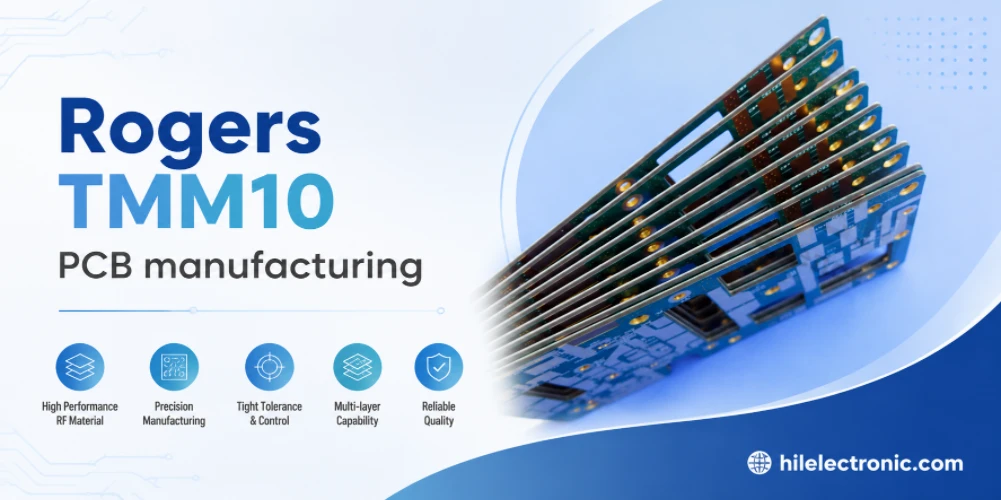
TMM10 PCB Manufacturing for Compact RF Designs
Table of contentsHow TMM10 Shrinks RF StructuresTMM10 vs...
How to get a quote for PCBs
Let‘s run DFM/DFA analysis for you and get back to you with a report. You can upload your files securely through our website. We require the following information in order to give you a quote:
-
- Gerber, ODB++, or .pcb, spec.
- BOM list if you require assembly
- Quantity
- Turn time
For PCBA services, please provide your BOM (Bill of Materials) and any specific assembly instructions. We also offer DFM/DFA analysis to optimize your designs for manufacturability and assembly, ensuring a smooth production process.